5 Ecommerce Website Builders to Maximize Conversion & Sales

Choosing the right ecommerce website builder can make or break your online business. Whether you’re launching your first side hustle or scaling a multi-million dollar operation, the platform you select will impact everything from your daily workflow to your bottom line revenue.
The good news? Today’s ecommerce website builders have evolved far beyond basic shopping carts. Modern platforms offer AI-powered design tools, advanced analytics, multichannel selling capabilities, and sophisticated inventory management – all without requiring a single line of code.
In this comprehensive guide, we’ll compare the top ecommerce website builders, breaking down their strengths, weaknesses, pricing structures, and ideal use cases. By the end, you’ll know exactly which platform aligns with your business goals, technical skills, and budget constraints.
What Is an Ecommerce Website Builder?
An ecommerce website builder is an all-in-one software platform that enables you to create, design, and manage an online store without coding knowledge or technical expertise. Think of it as a complete business solution that combines website design tools, shopping cart functionality, payment processing, inventory management, and marketing features into a single, integrated system.
Unlike traditional website builders that only create informational sites, ecommerce website builders are specifically designed for selling products or services online. They handle the complex technical requirements of online retail – secure checkout processes, payment gateway integration, tax calculations, shipping logistics, and customer data management so you can focus on growing your business.
Key components of an ecommerce website builder include:
- Drag-and-drop design tools that let you customize your store’s appearance visually
- Product management systems for adding items, variants, pricing, and inventory tracking
- Secure payment processing with support for credit cards, digital wallets, and alternative payment methods
- Shopping cart and checkout functionality optimized for conversions
- Order management dashboards to track sales, fulfill orders, and manage customer communications
- Built-in SEO and marketing tools to drive traffic and increase visibility
- Mobile responsiveness ensuring your store looks great on all devices
- Analytics and reporting to understand customer behavior and sales performance
Modern ecommerce website builders democratize online retail, making it possible for anyone – from solo entrepreneurs to growing businesses – to launch professional online stores without hiring developers or investing thousands in custom solutions. The best platforms scale with your business, supporting everything from your first sale to managing thousands of orders monthly.
Top 5 Ecommerce Website Builders at a Glance
Before we dive into the details, here’s your quick reference guide to the leading ecommerce website builders:
1. Shopify: Best for scaling your store and managing large inventories with unlimited products and robust multichannel selling features.
2. Wix: Best for small ventures and all-in-one brand building with an intuitive drag-and-drop editor and comprehensive app marketplace.
3. Squarespace: Best for selling services and achieving design excellence with stunning templates and built-in scheduling tools.
4. Hostinger: Best for businesses on a budget, offering promotional pricing around $3.99/month with 0% transaction fees.
5. GoDaddy: Best value for money with strong social media promotion tools and straightforward setup for beginners.
Comparative Data: How the Top Ecommerce Builders Measure Up
Understanding the key metrics helps you make an informed decision. Here’s how the leading ecommerce website builders compare across crucial factors:
| Builder | Best for | Starting price | Product Limit | Transaction Fees | AI Website builder |
| Shopify | Scaling/Large Business | $19/month | Unlimited | 0.5% – 2% | Yes (Sidekick, Horizon) |
| Wix | Small Ventures/All-in-One | $17/month (Light) | 50,000 | 0% (Wix Payments) | Yes (AI Chatbot Builder) |
| Squarespace | Services/Creatives | $16/month (Basic) | Unlimited | 0% (Core+ Plans) | Yes (Blueprint AI) |
| Hostinger | Budget/Side Hustles | ~$3.99/month (Promo) | 1,000 | 0% | Yes (Horizons) |
| GoDaddy | Value/Social Selling | $16.99/month | 5,000 | 2.3% + 30¢ per transaction | Yes (GoDaddy AI) |
In-Depth Reviews: Pros, Cons, and Key Features Explained
1. Shopify: The E-commerce Powerhouse for Growth
Shopify has earned its reputation as the go-to ecommerce website builder for serious online retailers. With over 4 million active stores worldwide, it’s the platform that scales with your ambitions.
Pros:
- Unmatched sales features including advanced inventory management, variant options, and multi-location tracking
- High scalability with unlimited products across all plans
- Multichannel selling capabilities extending to TikTok, Instagram, Facebook, Amazon, and more
- Robust app ecosystem with over 8,000 integrations
- Built-in payment processing through Shopify Payments (eliminating transaction fees)
- Professional point-of-sale (POS) system for brick-and-mortar integration
Cons:
- Higher price point starting at $19/month (Basic plan)
- Limited store customization compared to Wix or Squarespace without coding knowledge
- Steep learning curve for complete beginners
- Additional costs can accumulate through premium apps and themes
Value-Add Feature Highlight: Shopify recently introduced Shopify Sidekick, an AI assistant that helps you manage your store through conversational commands. The platform also offers customizable checkout pages, a feature that can significantly impact conversion rates by maintaining brand consistency throughout the entire purchase journey.
Shopify excels when you’re planning to sell hundreds or thousands of products, need sophisticated inventory tracking, or want to expand into omnichannel retail. It’s particularly strong for dropshipping businesses and those selling physical products with multiple variants.
2. Wix: The All-in-One Solution for Brand Building
Wix has transformed from a simple website builder into a comprehensive ecommerce platform that balances power with accessibility. It’s the Swiss Army knife of ecommerce website builders.

Pros:
- Intuitive drag-and-drop editor that makes design changes effortless
- Robust app marketplace with 300+ integrations
- Best-in-class SEO support with personalized recommendations
- Versatile enough for virtually any industry or business type
- Built-in blogging, email marketing, and social media tools
- Semrush integration for advanced SEO insights
Cons:
- Product limit capped at 50,000 items
- Inability to change templates after publishing without rebuilding your site
- Can become pricey when adding premium apps and features
- Some advanced features require higher-tier plans
Value-Add Insight: Wix’s personalized SEO setup wizard analyzes your specific business and industry, then provides custom recommendations to improve your search rankings. This feature alone can save hours of research for entrepreneurs unfamiliar with SEO best practices.
The Wix ecommerce website builder shines for small to medium-sized businesses that want creative control without sacrificing functionality. It’s particularly well-suited for entrepreneurs who need blogging capabilities, membership sites, or booking features alongside their store.
3. Squarespace: Where Design Meets Service-Based Selling
Squarespace has carved out a unique position as the ecommerce website builder for aesthetically-driven brands and service providers. If visual appeal matters to your brand identity, Squarespace delivers.

Pros:
- Stunning, professionally-designed templates that look polished out of the box
- Unlimited products across all plans, even the Basic tier
- Excellent value for money starting at just $16/month
- Built-in Acuity Scheduling for service-based businesses, classes, and appointments
- Superior image galleries and portfolio displays
- Fluid Engine for enhanced drag-and-drop customization
Cons:
- Limited payment integrations (primarily Stripe and PayPal)
- Not ideal for complex inventories with extensive product variations
- Fewer third-party app integrations compared to Shopify or Wix
- Email marketing features are less robust than competitors
Actionable Tip: Take full advantage of Squarespace’s Fluid Engine when customizing your site. This newer interface provides pixel-perfect control over content blocks, allowing you to create layouts that look professionally designed without hiring a developer.
Squarespace stands out as the ecommerce website builder of choice for photographers, consultants, fitness instructors, creative professionals, and anyone selling services, memberships, or digital products. The built-in scheduling functionality eliminates the need for third-party booking tools.
4. Hostinger: The Most Affordable Entry Point
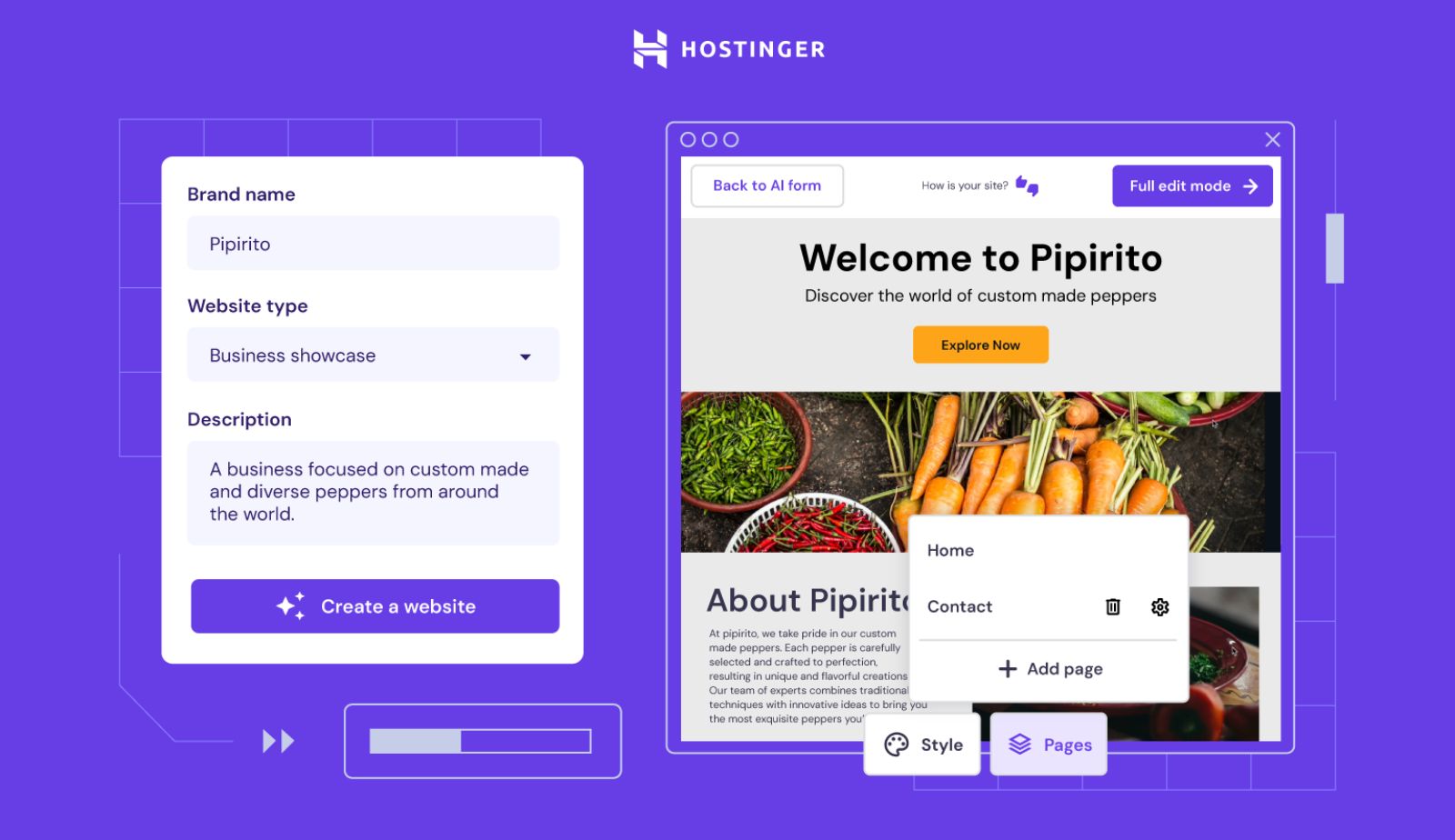
Hostinger has disrupted the ecommerce website builder market by offering enterprise-level features at remarkably accessible prices. It’s proof that quality doesn’t always require a premium investment.
Pros:
- Fastest site speed and load times in independent testing
- Cheapest plans starting around $3.99/month (promotional pricing)
- 0% transaction fees regardless of payment processor
- Complete suite of AI tools including AI website builder, content writer, and logo maker
- Over 100 payment methods supported globally
- Free domain registration and SSL certificate included
Cons:
- Limited scalability with a 1,000 product cap
- No built-in email marketing tools
- Lacks point-of-sale (POS) integration for physical retail
- Smaller template library compared to competitors
- Fewer advanced features for complex ecommerce operations
Data Point: Hostinger recently expanded its payment gateway support to over 100 methods, a significant improvement that makes international selling more accessible for budget-conscious entrepreneurs.
This ecommerce website builder works best for side hustles, solopreneurs, digital product sellers, and anyone testing business ideas without major upfront investment. The combination of speed, affordability, and zero transaction fees makes it attractive for businesses with smaller catalogs.
5. GoDaddy: Best Value for Money and Social Commerce
GoDaddy has evolved from a domain registrar into a surprisingly capable ecommerce website builder with a focus on simplicity and social media integration. It strikes a balance between affordability and functionality.

Pros:
- Competitive pricing at $16.99/month for ecommerce functionality
- Strong social media selling features with direct Instagram and Facebook integration
- Built-in marketing tools including email campaigns and SEO guidance
- Straightforward setup process ideal for complete beginners
- 24/7 phone support – rare at this price point
- GoDaddy AI for quick website generation
Cons:
- Product limit of 5,000 items
- Transaction fees of 2.3% + 30¢ per sale (higher than competitors)
- Less design flexibility compared to Wix or Squarespace
- Fewer third-party integrations and apps
- Limited advanced ecommerce features for scaling
Value-Add Insight: GoDaddy excels at social commerce, making it incredibly simple to sync your product catalog with Instagram Shopping and Facebook Marketplace. If your primary customer acquisition strategy involves social media, this integration can save significant time and effort.
This platform works best for small businesses prioritizing ease of use over advanced customization, social media sellers who want seamless platform integration, and entrepreneurs who value responsive customer support. The transaction fees make it less ideal for high-volume stores with thin margins.
How to Choose the Right Ecommerce Website Builder
Crucial Factors to Evaluate Before Committing
Selecting an ecommerce website builder requires more than comparing feature lists. Here’s what truly matters:
1. Scalability and Product Limits
Match the platform to both your current reality and future aspirations. If you’re launching with 50 products but plan to expand to 500, that Wix limit of 50,000 products provides comfortable headroom. However, if you’re in fashion, home goods, or any category with extensive variants, Shopify’s or Squarespace’s unlimited products become essential.
Consider not just quantity but complexity. Managing 100 products with 10 size and color variants each requires different capabilities than selling 100 distinct items.
2. Budget & Hidden Costs
The advertised monthly fee tells only part of the story. You should build a realistic budget that includes:
- Base subscription cost
- Transaction fees (if not using the platform’s native payment processor)
- Premium themes or templates
- Essential apps and plugins
- Email marketing tools
- Domain registration and renewal
- SSL certificates (though most platforms include these)
3. Ease of Use
Your technical comfort level should heavily influence this decision. If you’re a complete beginner, prioritize drag-and-drop editors and visual builders. Squarespace and Wix excel here, offering intuitive interfaces that feel more like arranging a Pinterest board than building a website.
More technical users might prefer the flexibility of WordPress with WooCommerce and Elementor, accepting a steeper learning curve for greater control.
4. Essential Ecommerce Features
Never compromise on core functionality:
- Multiple payment gateway options (credit cards, PayPal, Apple Pay, etc.)
- Inventory tracking and low-stock alerts
- Order management with status updates
- Flexible shipping options and rate calculations
- Tax calculation automation
- Abandoned cart recovery (critical for recapturing lost sales)
- Customer account creation
- Discount codes and promotional tools
- Mobile-optimized checkout
5. Design Flexibility and Mobile Optimization
Your ecommerce website builders should offer templates that reflect your brand personality while remaining professional. More importantly, every template must be fully responsive – over 60% of ecommerce traffic comes from mobile devices.
Test templates on your phone during evaluation. If the mobile experience feels clunky or compromised, that platform isn’t the right fit.
Value-Add Insight: Hosting and Performance
Site speed directly impacts your revenue. Studies consistently show that every one-second delay in page load time can reduce conversions by 7%. Fast loading times are non-negotiable, affecting both conversion rates and SEO rankings.
Pro Tip on Speed: Managed cloud hosting like Elementor’s WooCommerce Hosting or Shopify’s infrastructure is ideal for ensuring superior performance and reliability during traffic spikes. Avoid shared hosting for serious ecommerce – the cost savings aren’t worth the performance penalties.
Optimizing Conversions Post-Launch
Building your store is just the beginning. Here’s how to maximize sales:
Streamlining the Checkout:
- Minimize steps between “Add to Cart” and purchase completion
- Allow guest checkout, requiring account creation kills conversions
- Display shipping costs upfront (surprise fees cause 48% of cart abandonments)
- Implement abandoned cart recovery emails with incentives
- Offer multiple payment methods including digital wallets
Data-Driven Decisions: Use your ecommerce website builder’s integrated analytics to track:
- Conversion rates by traffic source
- Average order value (AOV)
- Most popular products and categories
- Cart abandonment rates
- Customer acquisition costs
These metrics guide everything from product pricing to advertising budgets to website layout changes.
FAQs
Squarespace consistently ranks as the easiest to use due to its intuitive drag-and-drop editor and streamlined user experience. Even users with zero technical background can create professional-looking stores within hours. Wix runs a close second, though some find its extensive features initially overwhelming.
Yes, platforms like Shopify and Squarespace offer unlimited product listings across all their ecommerce plans. This flexibility proves invaluable for businesses in categories with extensive SKUs like fashion, home decor, or print-on-demand. Wix caps at 50,000 products, GoDaddy at 5,000, and Hostinger limits you to 1,000.
Shopify is ideal for complex inventories and physical products, especially when dealing with dropshipping, multiple variants, or wholesale operations. Its inventory management, shipping integrations, and POS capabilities are unmatched. Squarespace excels at selling services, memberships, courses, and appointments thanks to built-in Acuity Scheduling and elegant portfolio displays. For digital products like ebooks or templates, any platform works well, though Wix and Squarespace offer particularly smooth experiences.
Conclusion
Choosing the right ecommerce website builders fundamentally shapes your online business’s trajectory. There’s no universally “best” platform – only the best platform for your specific needs, budget, and growth plans.
The decision ultimately comes down to three questions: Where is your business today? Where do you want it in three years? And what’s your honest assessment of your technical abilities and time availability?
Take advantage of free trials offered by most platforms. Build a test store, upload some products, and experience the workflow firsthand. The right ecommerce website builders should feel intuitive, not frustrating. It should energize you about your business, not overwhelm you with complexity. We hope this blog may help you make your decision properly.

Hi, I’m Vu Cam Chi – a detail-driven digital marketer focused on building practical growth solutions for ecommerce and digital products. I combine data, user behavior, and clear messaging to turn ideas into results. Strategy guides my decisions, and optimization is part of my daily work. I care deeply about creating experiences that make sense for users and actually perform.