Top 5 Countdown Timer Types for eCommerce
A customer lands on your product page, loves what they see, adds an item to their cart – and then clicks away, promising themselves they’ll “come back later.” Sound familiar? You’re losing sales every single day to this exact scenario.
The solution isn’t complicated, but it is powerful. A simple countdown timer can be the difference between “maybe later” and “buy now.” These dynamic visual elements create genuine urgency that transforms hesitant browsers into confident buyers.
In this guide, you’ll discover everything you need to know about countdown timers for e-commerce. From the psychology that makes them work to strategic placement tips and platform-specific implementation guides, we’ll show you how to boost your conversion rate by up to 40%, without gimmicks or fake urgency tactics.
Let’s turn those abandoned carts into completed sales.
What Is a Countdown Timer?
Every second counts in e-commerce. While your potential customers browse, compare prices, and add items to their wishlists, they’re also making split-second decisions about whether to buy now or “maybe later.” The problem? “Later” rarely comes.
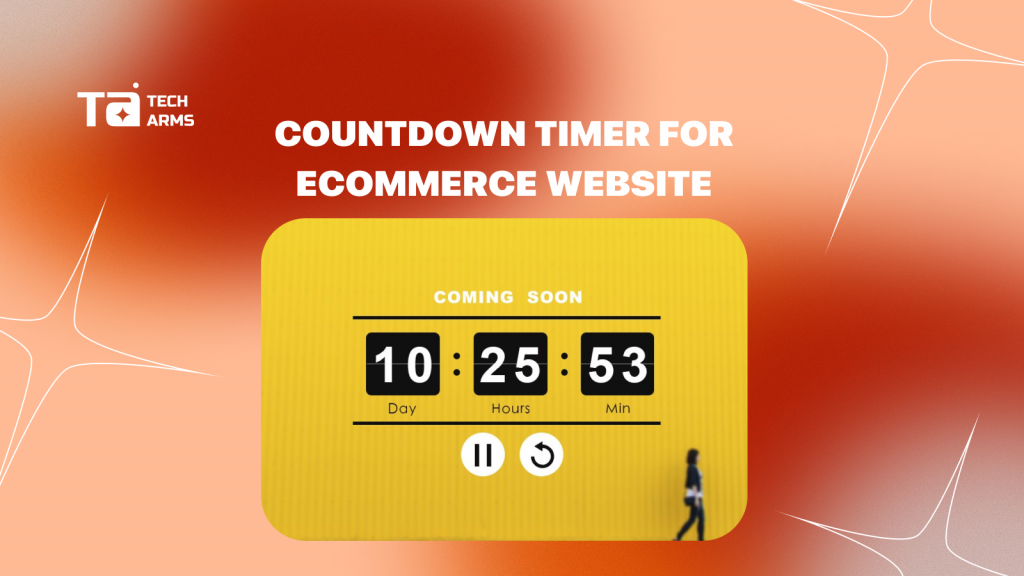
A countdown timer is a visual element that displays the time remaining – typically in days, hours, minutes, and seconds, until an offer, price, or product availability changes. Unlike static “limited time offer” text that customers have learned to ignore, the visual motion of ticking seconds captures attention and creates a sense of movement that drives immediate action.
The numbers speak for themselves. Implementing countdown timers can lead to an average sales growth of 9%, with some e-commerce stores reporting up to a 40% increase in orders. But here’s what most store owners miss: not all countdown timers are created equal, and placement matters just as much as the timer itself.
In this guide, you’ll discover the psychology behind why countdown timers work, where to place them for maximum impact, and how to implement them across different e-commerce platforms without destroying customer trust.
Why Countdown Timers Work
Before we dive into tactics, let’s understand why a simple ticking clock can be so powerful.
Motion Detection
Human eyes are neurologically wired to notice movement. In our evolutionary past, detecting motion meant spotting potential threats or opportunities. Today, that same instinct makes ticking timers catch peripheral vision better than static elements. When someone is scrolling through your product page, that moving countdown timer naturally draws their eye – even if they’re not directly looking at it.
Loss Aversion
Behavioral economics research reveals a fascinating insight: the pain of losing an opportunity (like missing a sale) is twice as powerful as the joy of gaining one. This principle, called loss aversion, explains why countdown timers are so effective. When customers see “2 hours, 37 minutes remaining,” they’re not just thinking about the discount they might get, they’re imagining the regret of missing it entirely.
The Paradox of Choice
Ever noticed how easier it is to choose when you have a deadline? Customers often face analysis paralysis, endlessly comparing options and postponing decisions. Countdown timers provide the external structure needed to help customers make a decision they’ve been putting off. The deadline becomes the decision-maker, reducing the mental burden of choice.
5 Best Ways to Use Countdown Timers
Not every situation calls for a countdown timer. Here are the five scenarios where they deliver the highest return on investment:

1. Flash Sale Countdowns
Flash sales aren’t just about the sale itself, they’re about the anticipation. Use countdown timers for upcoming promotions to build excitement and encourage customers to prepare before the sale goes live. Smart retailers display these timers 24-48 hours in advance, prompting customers to create wish lists, share the sale with friends, and mark their calendars.
Example: “Flash Sale Starts In: 23:45:12” displayed on your homepage creates buzz and brings customers back at the exact moment your sale begins.
2. Product Launches
For new gadgets, limited edition products, or special events, countdown timers generate pre-launch buzz weeks in advance. This approach transforms a simple product drop into a community event, encouraging social sharing and repeat visits to your site.
Tech companies and fashion brands excel at this strategy, using countdown timers to create “drop culture” around their releases, turning customers into brand advocates who eagerly await each launch.
3. Shipping Cutoff Timers
One of the most practical applications of countdown timers addresses a common customer question: “Will this arrive in time?” Display timers showing exactly how much time remains for same-day shipping, next-day delivery, or guaranteed holiday arrival.
Example: “Order within 4 hours, 23 minutes for delivery by Friday” removes uncertainty and compels action from customers who need their purchase by a specific date.
4. Abandoned Cart Recovery
Include countdown timers in abandoned cart recovery emails to remind users their cart items or special discounts are expiring soon. This tactic works because it combines two powerful motivators: the items they already wanted plus the fear of losing their discount.
Pro Tip: Set the timer for 24-48 hours after cart abandonment. This gives customers enough time to reconsider without letting the urgency fade.
5. Personalized Offers
The most sophisticated countdown timer strategy tailors urgency to individual visitors. An “exclusive 15-minute offer” that starts when someone lands on your site creates personalized pressure without requiring complex segmentation.
These session-based timers work exceptionally well for first-time visitors, offering a special discount that expires during their first browsing session, encouraging immediate conversion.
Where to Place Countdown Timers
Location determines effectiveness. Here’s where to place your countdown timers for maximum impact:
Product Page
Your product page is where purchase decisions happen, making it prime real estate for countdown timers. Place them near the “Add to Cart” button to influence customers at the exact moment of decision. This proximity creates a direct visual connection between the urgency and the action you want them to take.
The product page timer should be impossible to miss but not intrusive. Position it above or directly beside your add-to-cart button, using contrasting colors that match your brand while standing out from surrounding elements.
Cart & Cart Drawer
Once customers have added items to their cart, they’re already interested—but they might still leave. Countdown timers in the cart or cart drawer reinforce existing offers and prevent abandonment by reminding customers why they should complete their purchase now.
This placement works because customers in the cart are in “buying mode.” They’ve taken action but need that final push to complete the transaction.
Announcement Bar
Announcement bars at the top of your site are effective for store-wide seasonal campaigns and major sales events. However, be aware of “banner blindness”—customers have learned to ignore persistent top-bar messages. Rotate your announcement bar content and use countdown timers sparingly in this location to maintain their effectiveness.
Checkout Page
For Shopify Plus users and other enterprise platforms, adding countdown timers to the checkout page provides a final push for conversion. At this stage, customers are committed but might still hesitate. A timer reinforcing “Your discount expires in 12 minutes” can overcome last-minute doubts.
FAQ
For developers or those comfortable with code, you can create a countdown timer using HTML, CSS, and JavaScript. Use JavaScript’s Date object to calculate the time remaining between now and your target deadline, then update the display dynamically every second.
Only use countdown timers for genuine deadlines, and limit them to specific campaigns or promotions. Your store should have timer-free periods where customers can browse without pressure, making the timers more impactful when they do appear.
Conclusion
Countdown timers aren’t just visual elements – they’re psychological triggers that tap into fundamental human decision-making patterns. When implemented authentically and strategically, they transform hesitant browsers into confident buyers.
The key is authenticity. Use high-fidelity, server-side timers that track real deadlines. Place them strategically on product pages, carts, and checkout flows where they’ll have maximum impact. And most importantly, only create urgency around genuine offers and deadlines.
Start with one authentic use case – perhaps a shipping cutoff timer or a genuine flash sale. Monitor the results, refine your approach, and gradually expand to other strategic applications. Your countdown timer strategy should grow alongside your customer trust, creating a sustainable increase in conversions without sacrificing long-term relationships.
Get Started with Countdown Timers
Ready to transform your conversion rate? Our Sale Countdown creates instant urgency that drives faster purchasing decisions – without destroying customer trust.
Features that drive results:
- Sale Countdown Timers: Display authentic deadlines that build real urgency
- Timer Bar Placement: Strategic positioning on product pages, carts, and announcement bars
- Sale Timer Customization: Match your brand while capturing attention
- High-Fidelity Tracking: Server-side countdown timers that maintain consistency across all devices
Customers who see genuine urgency take action. Our countdown timer solution helps you create that urgency authentically, boosting your conversion rate by up to 40% while building long-term customer trust.

Hi, I’m Vu Cam Chi – a detail-driven digital marketer focused on building practical growth solutions for ecommerce and digital products. I combine data, user behavior, and clear messaging to turn ideas into results. Strategy guides my decisions, and optimization is part of my daily work. I care deeply about creating experiences that make sense for users and actually perform.