


About the store
Kauartikel.com is a German online store for natural dog chews and treats, selling since 2007. Its range covers more than 450 natural chew snacks in over 2,200 product variants.
The store says every item is hand-selected and made without unnecessary additives, and it ships in recyclable packaging. A separate B2B shop serves resellers and wholesale buyers.
Each autumn the store sells a dog advent calendar with 24 chew treats, one for each day before Christmas.
The challenge
Seasonal products sell in a short window. An advent calendar has to be bought before 1 December, so the useful selling period runs from early autumn to late November.
Within that window, a store that wants early orders needs a reason to buy now. A time-limited early-bird price gives that reason, but only if shoppers see both the price and the deadline.
Promotions shown in only one place are easy to miss. A shopper who closes a popup, or who lands on the product from search, may never learn that the offer ends soon.
Use case 01: A popup that states the deadline
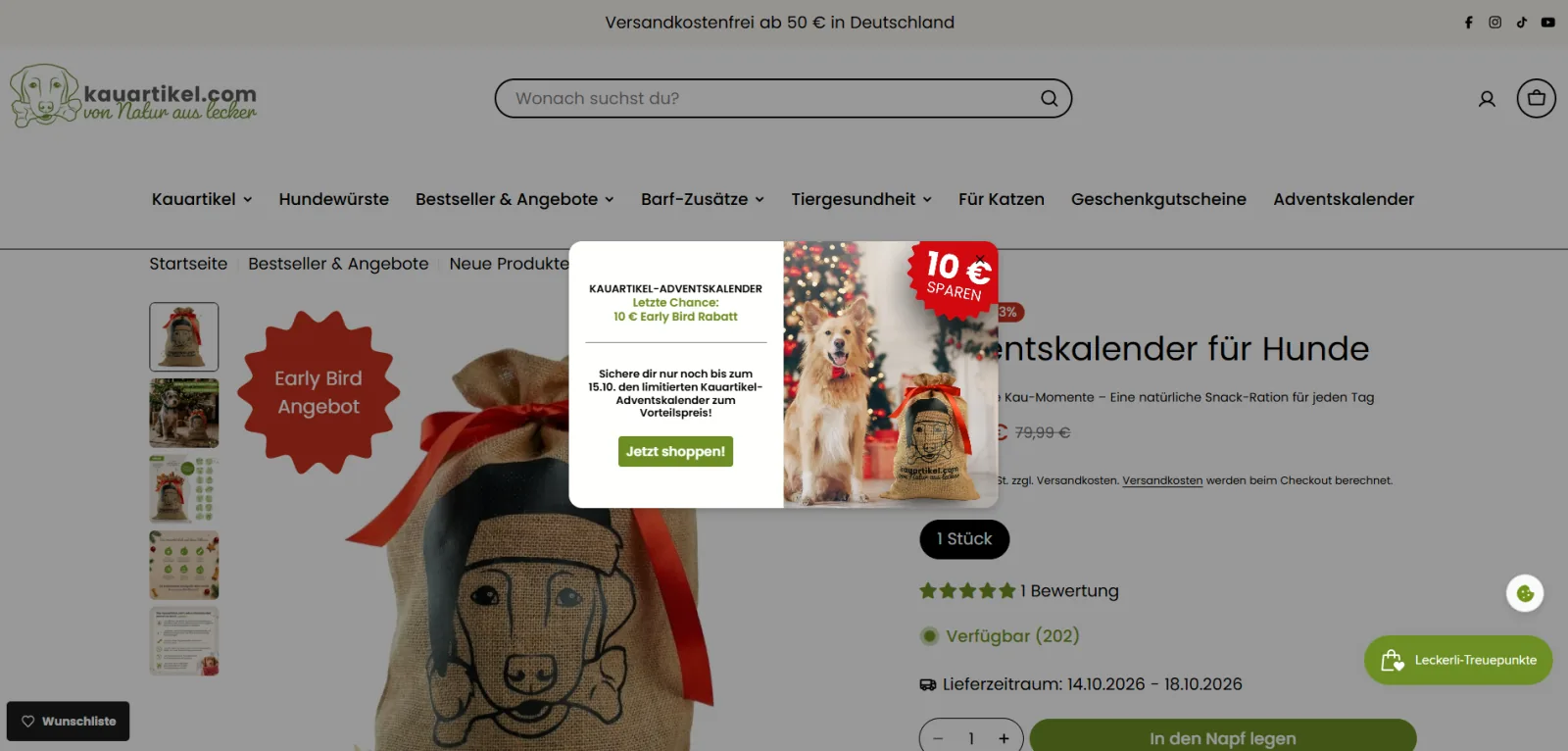
In October 2026, a popup appeared on every page of the store, including the advent calendar’s own product page. It read “Letzte Chance: 10 € Early Bird Rabatt” (last chance: €10 early-bird discount), with a dog photo and a “10 € SPAREN” sticker.
The body text set the deadline: shoppers could secure the limited advent calendar at the early-bird price until 15 October. A Jetzt shoppen! (shop now) button led to the product.
The popup was scheduled to end at the deadline, so the urgency matched a real end date. In TA Banner Slider, Sales Pop up, this is a window popup with a start and end date, shown on all pages.
The same app runs a full promotion calendar for the store. Since late August, its settings list 6 popups and 3 announcement bars for different campaigns.
Use case 02: The same offer on the product photo
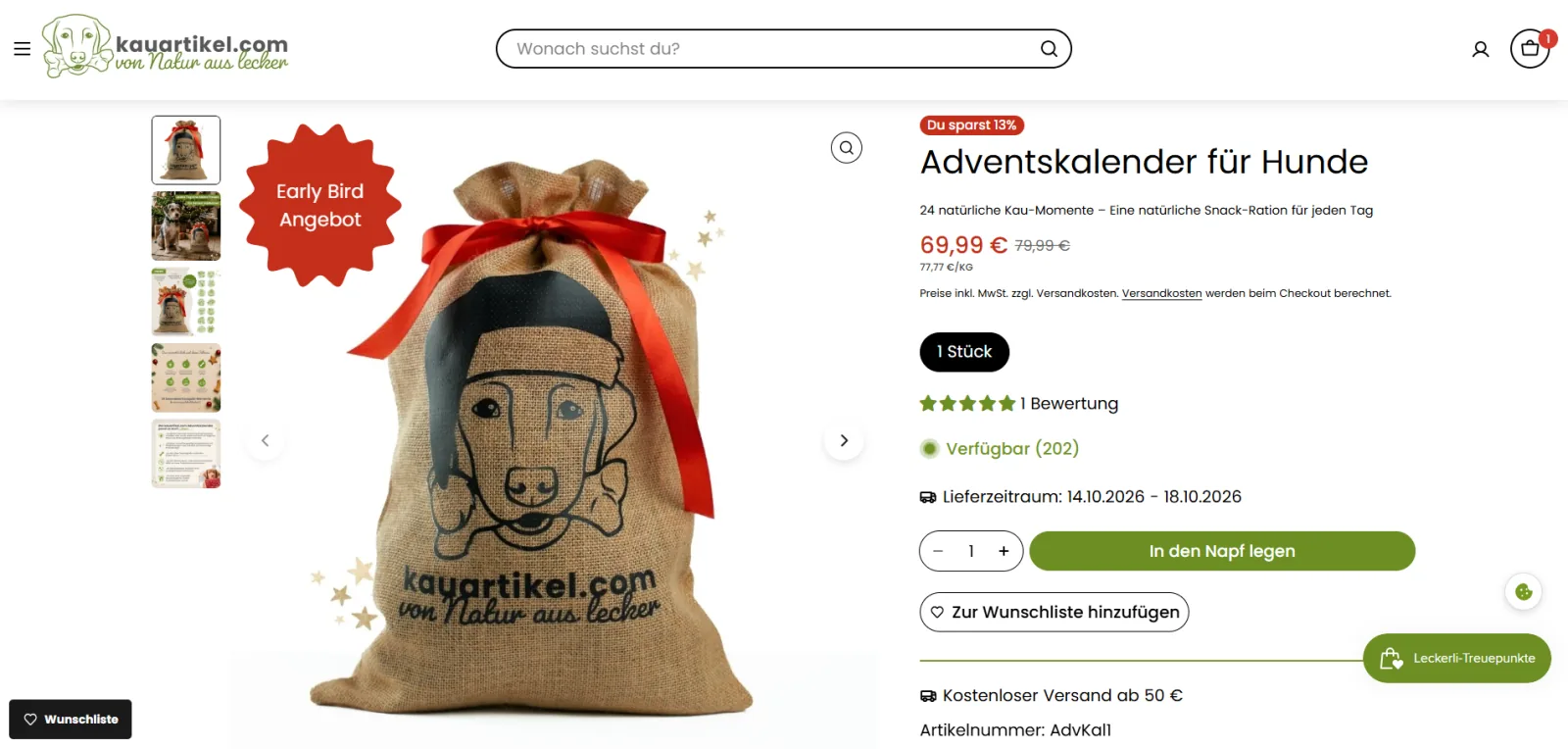
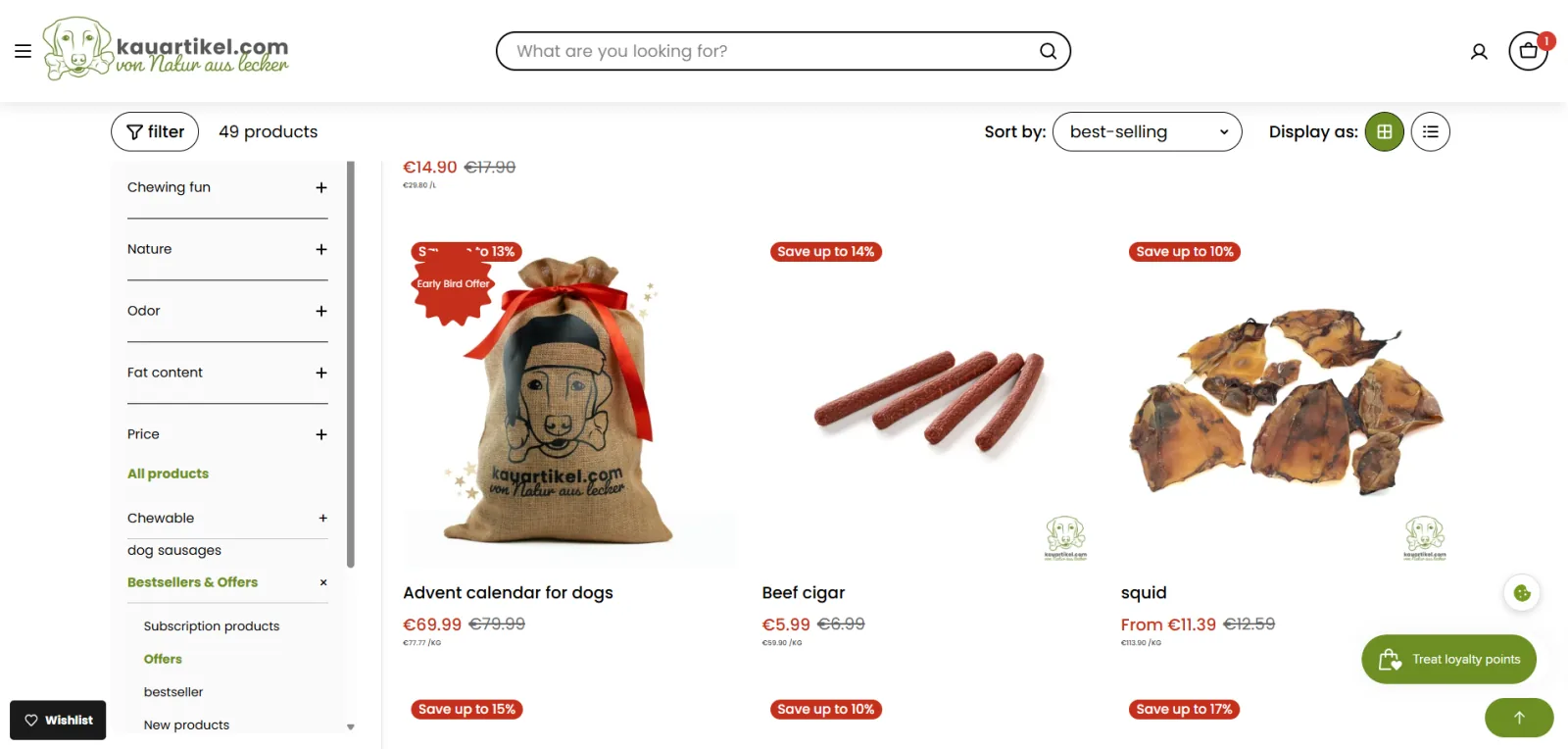
On the advent calendar’s product image, a red starburst label reads “Early Bird Angebot” (early-bird offer). The same label appears on the product’s card in the Angebote (deals) collection.
The label keeps the offer visible after the shopper closes the popup. It also reaches shoppers who arrive on the product page or the deals collection without seeing the popup first.
Next to the label, the price shows 69,99 € against the regular 79,99 €. In TA AI Product Labels & Badges, this is a label applied to the selected product and shown on product and collection pages.
How the two apps work together
The two apps cover different moments of the same visit. The popup announces the offer and the deadline when the shopper enters the store. The label confirms the offer on the product, where the decision happens.
Running both on one campaign means a shopper meets the early-bird offer at least twice before checkout. For a seasonal product with a fixed selling window, that repetition carries the deadline from the homepage to the product page.
What merchants say
Kauartikel.com reviewed both apps on the Shopify App Store on the same day.
Gute App, schneller und hilfreicher Kundensupport!
Try it on your store
The setup for a time-limited campaign across popups and labels is in Run a flash sale or BFCM campaign that actually feels urgent. For seasonal deadlines, see Show holiday order-by deadlines before shoppers ask.
TA Banner Slider, Sales Pop up and TA AI Product Labels & Badges are available on the Shopify App Store.
Observed on the live storefront on October 13, 2026, while the early-bird offer was running. The offer ended on 15 October 2026, and store settings may have changed since. Campaign counts come from the app settings published with the store's pages. Kauartikel.com did not supply data for this case study.