Product Listing Page: The Complete Guide to Boost Conversions
Introduction
Imagine that a potential customer lands on your e-commerce store, eager to browse your collection of running shoes. They’re met with a cluttered page, unclear pricing, and no way to filter by size or color. Frustrated, they leave within seconds, and you’ve lost a sale before it even started.
This scenario plays out thousands of times daily across e-commerce sites. In fact, 58% of shoppers abandon websites due to poor user experience, and product listing pages (PLPs) are often the culprit.
Your product listing page is where browsers become buyers. It’s the bridge between discovery and purchase, and optimizing it can dramatically impact your bottom line. A well-designed PLP doesn’t just showcase products, it guides shoppers, builds trust, and makes purchasing effortless.
In this comprehensive guide, we’ll explore everything you need to know about product listing page optimization, from essential design elements to advanced conversion tactics that top e-commerce brands use to drive sales.
What is a Product Listing Page?
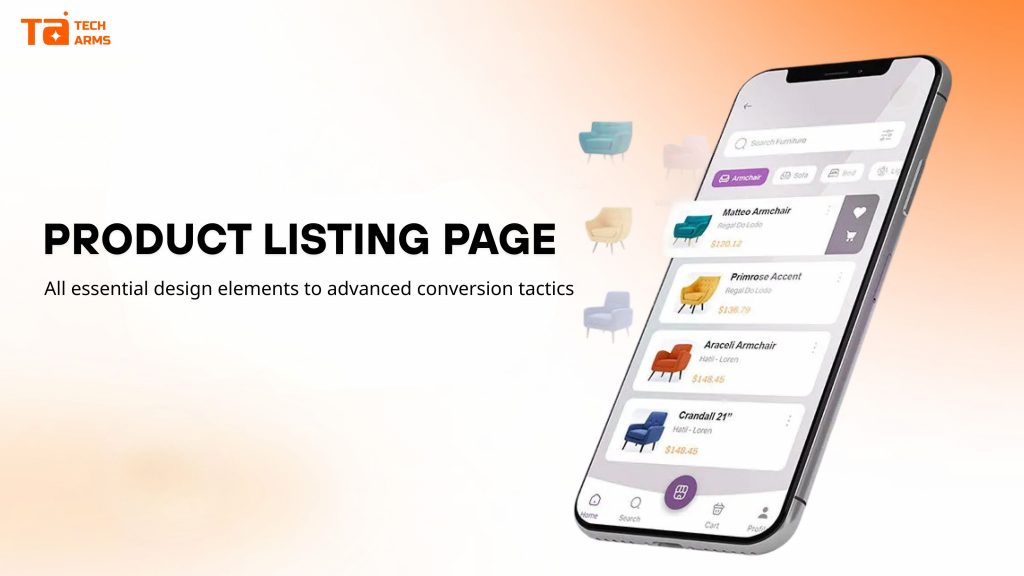
A product listing page (PLP), also known as a category page or collection page, is a web page that displays multiple products based on a specific category, collection, or search result. Think of it as your digital showroom, where customers browse, compare, and decide which products deserve a closer look.
Unlike a product detail page (PDP) that focuses on one item, a PLP serves as an overview, helping shoppers discover relevant products quickly and efficiently.
Why PLPs Are Critical to E-commerce Success
Product listing pages are the workhorses of your e-commerce site. They serve a crucial purpose in the customer buying journey by providing an organized overview of available products and enabling faster discovery of relevant items.
The data tells a compelling story:
- A majority of e-commerce stores experience stunted growth due to poor PLP design
- PLPs account for approximately 50% of all e-commerce traffic, making them SEO powerhouses
- The buy-to-detail rate (the percentage of visitors who click through to a product detail page and then purchase) is the key metric for PLP success
Well-optimized PLPs deliver multiple benefits: they boost SEO through keyword-rich content, increase user engagement by making products easy to find, improve conversion rates through strategic design, and create an enjoyable shopping experience that keeps customers coming back.
When done right, your product listing pages transform from simple catalogs into conversion machines that guide shoppers seamlessly toward purchase.

Essential Elements for High-Converting Product Listing Page
Creating an effective product listing page means understanding what shoppers need the moment they arrive. Let’s break down the essential elements that make PLPs convert.
1. Product Display Layout: Grid vs. List View
The way you present products significantly impacts how shoppers engage with your inventory.
Grid View works best for visually-driven products where appearance matters most, such as clothing, furniture, or home décor. Grid layouts typically display 2 to 4 product images per row, allowing shoppers to scan multiple items quickly. This format lets the imagery do the talking.
List View excels when detailed information matters more than visuals. Electronics, gadgets, and technical products benefit from list layouts that prominently display specifications, features, and comparison details.
Smart Strategy: Don’t force shoppers into one format. Offer both grid and list view options and let users choose their preference. This simple toggle respects different shopping styles and improves overall satisfaction.
2. Filtering and Sorting Options: The Foundation of Product Discovery
Nothing frustrates shoppers more than scrolling endlessly through irrelevant products. Therefore, robust filtering prevents overwhelm and helps customers find exactly what they want.
These are essential filters that should be included:
- Price range
- Size and color
- Brand
- Customer ratings
- Product availability (in stock vs. out of stock)
- New arrivals
- Best sellers
While visual filters take this further by guiding shoppers toward subcategories or preset paths, reducing clutter and decision fatigue, sorting options empower users to organize products by relevance, price (low to high or high to low), newest arrivals, bestsellers, or customer ratings.
UX Best Practice: Position filter menus on the left-hand side where shoppers expect them, keep them visible and accessible, and ensure mobile responsiveness. On mobile devices, you can consider making filters sticky so they remain available as users scroll.
3. Pricing and Deals: Clear, Compelling, Competitive
Price is often the deciding factor in purchase decisions, so make it impossible to miss, here are actional tips for you:
- Display prices in large, readable fonts positioned consistently across all product listings. For sale items, show the original price crossed out with the discounted price highlighted in a contrasting color (red is standard and effective).
- For products with variants, display a price range (e.g., “$49 – $99”) to set expectations without forcing users to click through.
- Add value by highlighting competitive advantages like free shipping thresholds or subscription savings options (“Subscribe & Save 15%”) as secondary calls-to-action near pricing.
4. Product Titles, Descriptions, and Imagery
Product Titles should be clear, concise, and keyword-rich. Include essential information like brand, product type, and key features without becoming unwieldy. For example: “Nike Air Zoom Pegasus 40 Women’s Running Shoes” tells shoppers exactly what they’re looking at.
Descriptions on PLPs should be brief with one to two sentences highlighting main benefits or standout features. Use bullet points for scannability. Save detailed specifications and longer descriptions for the product detail page.
Imagery is your virtual try-before-you-buy. Therefore, make sure that you use high-quality, consistent photos across all listings. Consider implementing hover states that show alternative product angles or lifestyle shots, giving shoppers more context without leaving the page.
5. Calls to Action: Make the Next Step Obvious
Every product listing needs a clear, compelling call-to-action button – typically “Add to Cart” or “Buy Now”. How to design them in the most effective way? Follow these tips can help you to some extent:
- Design CTAs to stand out using contrasting colors that align with your brand but catch the eye.
- Position them consistently below product images and pricing where shoppers naturally look.
- Use imperative, urgent language: “Add to Cart Now” outperforms passive phrases like “Available to Purchase.”
- The word “Now” creates subtle urgency that encourages action.
6. Social Proof: Reviews and Ratings Build Trust Instantly
Displaying star ratings and review counts directly on product listings can reinforce trust and shorten the customer journey. Shoppers rely heavily on peer feedback so products with visible ratings often convert better than those without.
Social proof is non-negotiable in modern e-commerce. Without it, potential customers may bounce, leading to lost trust and conversions. Even a simple “4.5 stars (127 reviews)” provides the validation shoppers crave before clicking through.
7. Product Labels and Persuasion Triggers
Strategic labels highlight important attributes and influence buying decisions at a glance.
Effective labels include:
- “New” for recent additions
- “Sale” or “20% Off” for discounts
- “Best Seller” to leverage popularity
- “Exclusive” for unique offerings
- “Free Shipping” to remove cost concerns
- “Low Stock” or “Selling Fast” to create urgency
Benefit-focused labels go further by addressing specific customer objections or desires. For example, Huel uses labels like “Complete Nutrition” or “400 Calories” to communicate value propositions directly on their listings.
8. Navigation and Search Aids
Breadcrumbs are simple but powerful navigation tools that show users their location within your site hierarchy (Home > Women’s Shoes > Running Shoes). They allow easy backtracking to broader categories and create valuable internal linking for SEO.
Search integration within PLPs enhances the shopping experience through features like:
- Search-within-results functionality
- Auto-suggest as users type
- “Did you mean?” suggestions for misspellings
- Related search recommendations
These aids reduce friction and help shoppers find products faster, even in large inventories.
How to enhance PLP Conversion Rate
The basics lay your foundation, but advanced optimization techniques separate good product listing pages from great ones. Follow these strategies can help increase your conversions effectively.
1. Social Proof and FOMO Integration
Real-time social proof is the most effective strategy for establishing immediate trust and creating conversion urgency in the current e-commerce landscape. By displaying verifiable live activity, businesses demonstrate transparency and leverage inherent psychological triggers to drive action.
Implementing live activity notifications
To harness the full power of real-time social proof and build immediate trustworthiness, implement dynamic notification tools. These tools are critical for validating your store’s activity:
- Display live shopping activity: Utilize unobtrusive pop-ups to showcase recent purchases (e.g., “Just purchased 5 minutes ago!”), highlighting product popularity and transaction volume.
- Acknowledge community growth: Instantly display notifications for new subscribers or sign-ups, signaling a thriving, engaged user community.
- Show current visitor counts: Clearly display the number of visitors currently browsing specific pages or the site overall, confirming site traffic and immediate relevance.
Creating urgency (FOMO) with real-time data
Authoritative e-commerce practice dictates using shopper presence to accelerate decision-making. Show shoppers how many people are currently viewing the same product listing. This leverages FOMO, implicitly validating the product’s quality and creating a crucial sense of scarcity and urgency.
Mastering user-generated content (UGC) & reviews
Authentic customer experiences are the cornerstone of modern trust-building. They provide expertise and social validation far beyond brand-created content.
- Capture rich customer feedback: Deploy customizable review forms that allow customers to share detailed experiences via text, high-quality photos, and videos. User-generated content, especially visual proof like customer photos and videos, is proven to dramatically increase product trust and conversion rates.
- Strategically trigger submissions: Maximize review submission rates by triggering requests at key points – either immediately post-purchase or via targeted follow-ups (email and SMS).
- Incentivize action: Increase participation by offering valuable incentives, such as discount codes, exclusive loyalty points, or entries into a prize draw, establishing a reciprocal relationship with your customer base.
2. Personalization and Recommendations
High-value e-commerce platforms leverage contextual recommendations to streamline the shopping journey, demonstrating an expert understanding of customer needs. This strategy involves displaying products based on immediate and historical data:
- Behavioral data: Recommendations driven by browsing history and items currently in the cart.
- Transactional data: Suggestions based on past purchases and effective “frequently bought together” product pairings.
By intelligently suggesting relevant products, businesses reduce decision fatigue for the customer and significantly increase Average Order Value (AOV) through highly targeted cross-selling and upselling efforts.
3. PLP SEO Best Practices
Product listing pages are SEO goldmines because they’re keyword-rich and heavily linked throughout your site. Here are the list of what you need to focus on:
Keyword targeting
Start by researching what your customers actually type into search engines when looking for products like yours. Use these search terms naturally in several key places:
- Page titles and headings
- Individual product names
- Brief product descriptions
- Image descriptions (alt text)
This helps search engines understand what you’re selling and match your pages to customer searches.
URL structure
Your page URLs should be simple and descriptive. Both visitors and search engines prefer URLs that clearly indicate what’s on the page. Keep them short and avoid complicated codes or unnecessary characters.
Example: yoursite.com/running-shoes works better than yoursite.com/category?id=12345
Breadcrumbs
Breadcrumbs are the clickable path links typically shown at the top of a page (like Home > Shoes > Running Shoes). These serve two important purposes:
- For users: Easy navigation back to broader categories
- For search engines: Clear understanding of your site structure and how pages relate to each other
Breadcrumbs also distribute ranking power throughout your site by creating organized internal links, which can help multiple product pages perform better in search results.
4. Mobile Optimization and UX
Most people now shop using their smartphones, so your product pages must work flawlessly on mobile. This isn’t just a nice feature, it’s necessary for business success.
Your mobile product pages need these core elements:
- Images that adjust properly: Photos should resize to fit any screen without looking stretched or pixelated.
- Easy-to-read text: Customers shouldn’t need to pinch and zoom to read product information. Text should be clear and legible at normal viewing size.
- Tap-friendly buttons: Make buttons and clickable areas large enough for fingers to tap accurately. Space them apart so users don’t accidentally click the wrong option.
- Quick loading speed: Your pages should load in under 3 seconds. Slow pages cause customers to leave before seeing your products.
- Simple navigation: Avoid cluttered menus that crowd small screens. Keep the interface clean and straightforward.
Don’t assume your pages work well just because they look good on your computer. You have to test them on actual phones and tablets of different sizes and brands. Desktop designs often break or become difficult to use on mobile screens. Remember that every mobile shopper you lose to poor design is a sale going to your competitors.
FAQs About Product Listing Pages
A PLP builds awareness for all products in a category and allows filtering and comparison. A PDP focuses on one individual product with deeper details, multiple images, full specifications, and reviews—designed to drive immediate purchase action.
The optimal number is typically 6 product listings per fold for maximum scannability and information retention. While grid layouts can technically display up to 1,000 products per page, this depends on your product type. Visually-focused products can support more items per row, while products requiring detailed comparison work better with fewer per row.
PLPs are keyword-rich pages containing product names, brands, prices, and descriptions. They’re also the most heavily linked-to pages on e-commerce sites (since all products link back to their category), making them powerful drivers of organic search traffic, accounting for around 50% of total e-commerce traffic.
The biggest mistakes include offering too many choices without sufficient filtering (decision paralysis), failing to optimize for mobile devices (poor responsiveness and UX), and neglecting category page SEO (missing out on organic traffic opportunities).
Conclusion
Product listing pages are far more than digital catalogs, they’re strategic conversion tools that can dramatically impact your e-commerce success. By implementing the elements and strategies covered in this guide, you’ll create PLPs that attract traffic through SEO, engage shoppers with intuitive design, build trust through social proof, and guide visitors smoothly toward purchase.
Remember, optimization is an ongoing process. Continuously test different layouts, filter options, and CTA placements. Monitor your buy-to-detail rate and conversion metrics to understand what resonates with your specific audience.
Start with the fundamentals: clean layout, robust filtering, clear pricing, and strong CTAs. Then layer in advanced tactics like personalization, real-time social proof, and mobile optimization.
Your product listing pages represent millions of dollars in potential revenue. Invest the time to optimize them properly, and you’ll see the returns in higher traffic, better engagement, and increased sales.
Boost Your PLP Conversions with Social Proof & Urgency
Ready to transform your product listing pages? Add powerful persuasion triggers that drive action without changing your entire site design.
TA Product Labels & Badges lets you instantly add “Low Stock,” “Best Seller,” “Free Shipping,” and custom labels to your products – no coding required on your product listing page. Highlight what matters most to your shoppers and guide them toward conversion.

Hi, I’m Vu Cam Chi – a detail-driven digital marketer focused on building practical growth solutions for ecommerce and digital products. I combine data, user behavior, and clear messaging to turn ideas into results. Strategy guides my decisions, and optimization is part of my daily work. I care deeply about creating experiences that make sense for users and actually perform.