Top Shopify Product Labels Apps in 2026 (Ranked & Compared)
Small visual cues can drive massive sales differences in e-commerce. When shoppers browse your Shopify store, eye-catching product labels displaying “New Arrival,” “Limited Stock,” or “30% Off” can be the difference between a casual browser and a converting customer.
Research shows that strategically placed product labels can increase click-through rates by up to 55% and boost conversions by 15%. These digital labels work because they immediately communicate value, create urgency, and guide purchasing decisions without requiring shoppers to dig through product descriptions.
But here’s the challenge: Shopify doesn’t offer robust native product labels functionality. You need a dedicated app to unlock the full potential of product labels and choosing the right one matters. In this comprehensive guide, we’ll explore the best product labels apps for Shopify in 2025, compare their features, and share advanced strategies to maximize your conversion rates.
What are Shopify Product Labels Apps?
Shopify product labels apps are specialized tools that allow you to add visual labels to your product images and collection pages. These apps display customizable labels like “Sale,” “Trending,” “Almost Gone,” or “Eco-Friendly” directly on product thumbnails, helping shoppers quickly identify important product attributes.

Unlike manual image editing, these apps automatically apply labels based on rules you define, such as inventory levels, collection membership, product tags, or sales velocity. The best product labels apps integrate seamlessly with your theme, require no coding knowledge, and offer extensive customization options to match your brand aesthetic.
In these days and ages, modern product labels apps go far beyond simple text badges. They include animated effects, countdown timers, icon libraries, A/B testing capabilities, and advanced targeting rules that let you show different labels to different customer segments or on specific devices.
Why Your Shopify Store Needs Product Labels to Boost Conversions
Product labels serve as visual shortcuts that reduce cognitive load for shoppers browsing dozens or hundreds of products. Here’s why they’re essential for conversion optimization:
Instant Communication
Labels convey key information – discount percentages, stock status, product features within milliseconds. As people often say “A picture is worth a thousand words” , shoppers process visual information 60,000 times faster than text, making labels more effective than product descriptions for initial engagement.
Psychological Triggers
Well-designed labels tap into powerful psychological principles. For example, “Only 3 Left” triggers scarcity and fear of missing out, “Bestseller” provides social proof, “New” satisfies curiosity and desire for novelty. These emotional drivers significantly impact purchasing behavior, pushing customers to action as soon as possible.
Strategic Navigation
Product labels help customers filter products mentally, guiding them toward items that match their needs. A “Vegan” or “Gluten-Free” label on food products, for instance, immediately signals compatibility with dietary preferences, reducing bounce rates and improving the shopping experience.
Revenue Amplification
By highlighting promotions, cross-sell opportunities, and high-margin products, product labels directly influence which items get attention and purchases. Stores using strategic product labels report average order value increases of 15-25%.
Mobile Optimization
On mobile devices where screen space is limited, product labels become even more critical. They provide instant visual cues without requiring users to tap through to product pages, reducing friction in the mobile shopping journey.
The 5 Best Shopify Product Labels Apps
After testing dozens of product labels solutions, we’ve identified the top five apps that deliver the best combination of features, ease of use, and value for Shopify merchants in 2025.
#1: TA AI Product Labels & Badges (Best for Advanced Targeting & Extensive Library)
Rating: 4.9/5 (1400+ reviews)
Pricing: Free plan available; Pro from $9/month
TA Product Labels & Badges offers the most sophisticated targeting capabilities in this category. Its rule engine lets you create complex conditions combining multiple criteria, perfect for stores with large, diverse inventories that need granular control.

Key Features:
- 1,000+ badge designs including icons and animated labels
- Advanced conditional logic (AND/OR combinations)
- Customer segment targeting (new vs. returning, VIP tiers)
- Geolocation-based labels (show different badges by country)
- Bulk actions for applying labels to multiple products
- Priority sequencing when products match multiple rules
- Analytics dashboard showing label performance
Best For: Medium to large stores with complex catalogs requiring sophisticated segmentation. The analytics features help you identify which labels drive the most engagement and conversions.
Limitation: The learning curve is steeper due to the extensive feature set. Smaller stores may find simpler alternatives more appropriate.
#2: Sami Product Labels & Badges (Best for Customization & Templates)
Rating: 4.8/5 (500+ reviews)
Pricing: Free plan available; Pro from $9.9/month
Sami Product Labels & Badges stands out for its extensive template library and intuitive customization interface. With over 300 pre-designed label templates across categories like promotions, sustainability, attributes, and holidays, you can launch professional-looking badges in minutes.

Key Features:
- Drag-and-drop label designer with live preview
- 300+ customizable templates organized by use case
- Conditional display rules (by collection, tag, price, inventory, vendor)
- Multiple label positions (top-left, top-right, center, corner ribbons)
- Animation effects (pulse, bounce, fade-in)
- Schedule labels for specific date ranges
- Mobile-responsive design
Best For: Store owners who want design flexibility without hiring a developer. The template library accelerates setup while still allowing full customization of colors, fonts, sizes, and effects.
Limitation: The free plan limits you to 3 active labels and 100 products, making it suitable mainly for testing or very small catalogs.
#3: Lably – Product Labels & Badges
Rating: 5/5 (496 reviews)
Pricing: Free plan, with paid plans starting at $5.99/month for increased rule capacity
The Lably – Product Labels & Badges app is a top-rated solution for merchants looking to boost conversion with compelling product labels and badges.

Key feature:
- Full control over the appearance, size, position, and text of your labels.
- Set precise conditions for when labels appear (e.g., stock status, discount range, product tags).
- Access a large library of ready-to-use seasonal and promotional labels and badges.
- Apply simple animation effects to make your labels stand out even more.
- Easily schedule labels to appear and disappear automatically for sales events.
Best For: Shopify merchants who need an easy-to-use, yet highly flexible tool for running diverse, scheduled promotional campaigns that require precise control over when and where labels appear.
Limitation: While highly flexible, the free plan is limited to only one label rule and one badge rule, requiring an upgrade for extensive, simultaneous campaigns across multiple products and collections.
#4: DECO Product Labels & Badges (Best for High-Converting Banner Bars)
Rating: 4.8/5 (480+ reviews)
Pricing: Free plan available; paid plan from $9/month
DECO Product Labels & Badges distinguishes itself with full-width banner functionality that works across collection pages and the homepage. Beyond standard product badges, you can create announcement bars with custom messages, perfect for store-wide promotions or shipping thresholds.

Key Features:
- Product badges plus collection and homepage banners
- Sticky banner bars that remain visible while scrolling
- Free shipping threshold bars (“Add $X more for free shipping”)
- Holiday and seasonal banner templates
- A/B testing capability for banner messaging
- Quick-toggle to disable labels during non-promotional periods
- Integration with Shopify discount codes for automatic display
Best For: Stores that want to combine product-level labels with site-wide promotional messaging. The banner functionality is particularly effective for increasing average order value through shipping threshold messaging.
Limitation: The free plan only includes 2 label designs, limiting experimentation without upgrading.
#5: Labeler ‑ Product Labels (Best for Scheduling and Rule-Based Positioning)
Rating: 4.6/5 (390+ reviews)
Pricing: From $5.99/month for paid plan
Labeler excels at scheduling and offers unique positioning intelligence that automatically adjusts label placement to avoid overlap with your theme’s discount badges or other elements.

Key Features:
- Smart positioning to prevent label overlap
- Advanced scheduling (specific dates, days of week, times)
- Recurring schedule templates (every weekend, every holiday)
- Metafield-based labeling for custom product attributes
- Multi-currency support showing labels based on customer currency
- CSV import/export for bulk label management
- Developer-friendly with CSS customization access
Best For: Stores with seasonal inventory or regularly scheduled promotions. The recurring schedule feature eliminates manual activation for weekly sales or holiday events.
Limitation: The design template library is smaller than competitors. Better suited for merchants comfortable with some CSS customization or who have simpler design requirements.
Advanced Strategy: Designing Labels for Conversion
Implementing product labels is straightforward, but strategic deployment separates moderate results from transformative conversion lifts. Here’s how to design labels that drive measurable revenue growth.
Leveraging Psychological Triggers: Scarcity, Urgency, and Social Proof
Scarcity Labels
Create perceived rarity that increases value. For instance, instead of generic “Sale” badges, you can test specific inventory notifications like “Only 2 Left” or “Low Stock Alert.”
Implementation tip: Set automatic inventory-triggered labels at thresholds that make sense for your product velocity. For fast-moving items, trigger at 10 units; for slower inventory, 3-5 units creates appropriate urgency without appearing manipulative.
Urgency Labels
Leveraging labels such as “Ends Tonight,” “Flash Sale,” or countdown timer badges can activate the fear of missing out (FOMO) among customers.
Implementation tip: Use real deadlines aligned with actual sale end dates. If store owners use false urgency, it can damages trust and long-term conversion rates. Therefore, remember to schedule labels to automatically deactivate when your promotions end.
Social Proof Labels
“Bestseller,” “Customer Favorite,” and “Trending” labels signal that others value the product, reducing perceived purchase risk. Products labeled as bestsellers typically see 15-20% higher click-through rates.
Implementation tip: Base social proof labels on objective criteria – top 10% of sales velocity, 4.5+ star ratings, or high review counts the update these labels monthly to maintain accuracy and credibility.
Essential Design Principles: Visual Hierarchy and Branding Consistency
Labels compete for attention with product images, titles, and prices. Strategic design ensures labels enhance rather than overwhelm your product presentation. Here’s how you can arrange and prioritize product labels for optimal appearance.
Visual Hierarchy determines which labels get noticed first. Position the most important label (typically promotional or scarcity-based) in the top-left corner where eye-tracking studies show viewers look first in cultures with left-to-right reading patterns. On the other hand, secondary descriptive labels (like “Vegan” or “Organic”) seem to work well in bottom corners.
Size and contrast also matter significantly. Conversion-critical labels should be 15-20% larger than decorative badges and use high-contrast colors that stand out from product photography. However, avoid sizes that obscure important product features in the image.
Branding consistency helps maintain professional appearance and reinforces brand identity. You are free to choose a label style like minimalist, bold, elegant, playful but make sure that they aligns with your overall brand aesthetic. Use your brand color palette, with accent colors reserved for high-priority promotional labels.
Typography should match your site’s primary and secondary fonts. Mixing too many font families creates visual chaos that reduces trust and professionalism so try to limit yourself to 2 font families maximum across all labels.
Color psychology influences emotional response. Here is what we recognize and recommend to you – red and orange convey urgency and sales effectively, blue suggests trust and quality, green works well for sustainability and health-related labels, black and gold communicate luxury and exclusivity.
Test label colors against your typical product photography. Labels need sufficient contrast to remain visible across diverse product images, for examples, what works on white backgrounds might disappear on light-colored products.
FAQs
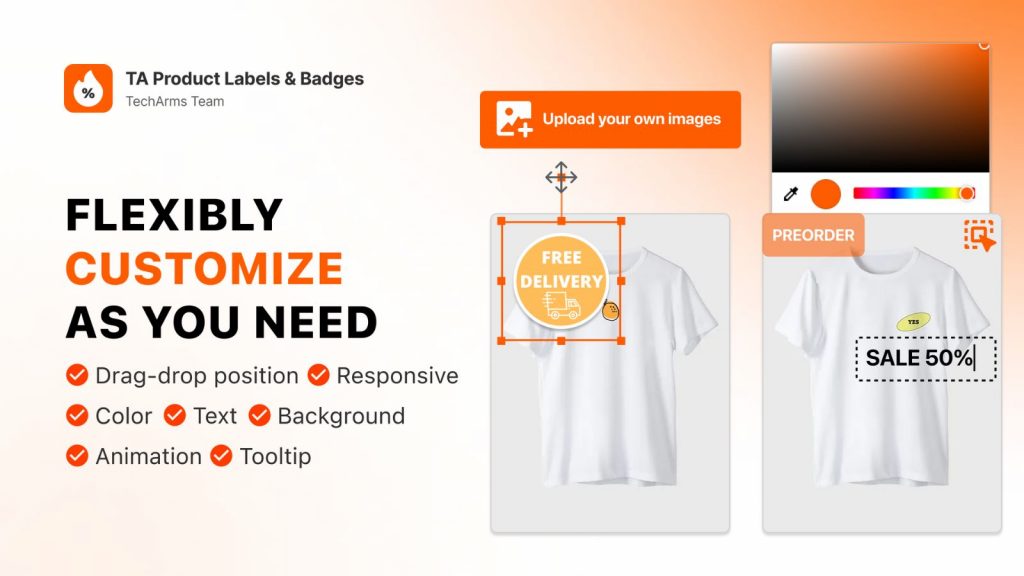
Yes, most quality product labels apps offer extensive customization options. Basic customization includes changing colors, fonts, sizes, shapes, and positions. Advanced apps like TA Product Labels & Badges provide drag-and-drop designers where you can add custom graphics, adjust opacity, apply borders and shadows, and create fully branded labels from scratch.
Product labels can be categorized by their purpose, including brand, descriptive, informative, grade labels.
Final Thought
Product labels transform how shoppers navigate and perceive your Shopify store. The right labels can help highlight your competitive advantages, create urgency that drives action, and guide customers toward products that match their needs, then ultimately increasing conversions and revenue.
For most merchants, product labels apps offer the best balance of design flexibility, template variety, and ease of use. Its intuitive interface and extensive library let you launch professional labels quickly without sacrificing customization.
Ready to maximize your label strategies? Contact TA Product Labels & Badges today, our solution works alongside your web store, extending your reach to customers who prefer app-based shopping while maintaining all your existing optimizations.

Hi, I’m Vu Cam Chi – a detail-driven digital marketer focused on building practical growth solutions for ecommerce and digital products. I combine data, user behavior, and clear messaging to turn ideas into results. Strategy guides my decisions, and optimization is part of my daily work. I care deeply about creating experiences that make sense for users and actually perform.