The Complete Guide to Trusted Badges: 11 Types That Boost Ecommerce Conversions
Picture this: A potential customer lands on your ecommerce site, finds the perfect product, adds it to their cart – and then abandons it at checkout. Sound familiar?
You’re not alone. Nearly 70% of shopping carts are abandoned before purchase, and here’s the kicker: 17% of those abandonments happen specifically because customers don’t trust the site with their payment information. Even more telling, 81% of online shoppers feel concerned when buying from an unfamiliar ecommerce store.
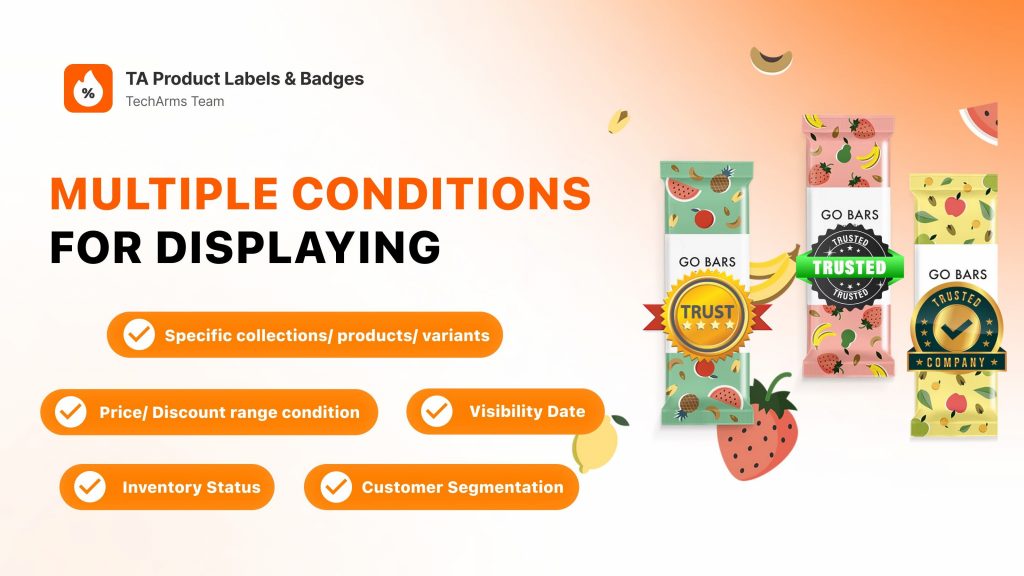
This is where trusted badges (also called trust seals) become your secret weapon.
Trust badges are small symbols or images strategically placed on your website that signal to visitors: “Your data is safe here. We’re legitimate. You can trust us.” These digital credibility indicators work behind the scenes to reduce purchasing anxiety, eliminate doubt, and ultimately drive more conversions.
In this comprehensive guide, we’ll explore 11 types of trusted badges that can transform hesitant browsers into confident buyers, show you exactly where to place them for maximum impact, and share real examples from successful ecommerce brands.
What Are Trusted Badges and Why Do They Matter?
Understanding Trusted Badges
At their core, trusted badges are visual credibility markers – symbols that communicate security, legitimacy, and reliability to your website visitors. Think of them as digital endorsements that answer the unspoken questions running through every online shopper’s mind: “Is this site safe? Will my credit card information be protected? Can I trust this company to deliver what they promise?”
These badges serve a fundamental psychological purpose: they reduce perceived risk. When shoppers can’t physically touch products or interact with salespeople, trust badges bridge that credibility gap by providing third-party validation and clear security signals.
The High Cost of Low Trust
The trust problem in ecommerce isn’t just theoretical, it’s costing businesses real revenue:
- 81% of online shoppers express concern when shopping on unfamiliar ecommerce sites
- Shopping cart abandonment sits at nearly 70% across all online stores
- 17% of cart abandonments are directly attributed to security concerns, according to Baymard Institute
- Customers who don’t trust your site simply won’t complete their purchase, regardless of how great your products are
Trusted badges directly address these concerns by creating a sense of authenticity and credibility. They assure visitors that their personal and financial data will be protected, that the business is legitimate, and that the transaction will be handled professionally. In essence, trusted badges eliminate the biggest invisible barrier between browsing and buying.
The 11 Most Effective Types of Trust Badges for Ecommerce
Let’s dive into the specific types of trust badges you can implement today to start building credibility with your customers.

1. Security and SSL Badges
What they are: SSL (Secure Sockets Layer) badges indicate that your website has proper security certificates and encrypts customer data during transmission. Without an SSL certificate, browsers like Chrome will actually warn visitors that your site isn’t secure – a conversion killer.
Why they work: These badges directly address the #1 concern for online shoppers: data security. When customers see familiar security logos from companies like McAfee, Norton, or Symantec, they know their information is protected by industry-standard encryption.
Where to use them: Place security badges prominently on your checkout page, near payment fields, and in your website footer so they’re visible throughout the shopping journey.
2. Secure Checkout Badges
What they are: “Secure Checkout” or “Safe Checkout” badges specifically assure customers that the transaction process itself is protected, indicating the use of encryption and security protocols during payment processing.
Why they work: These trusted badges target the exact moment of maximum anxiety – when customers are about to enter their credit card details. A simple “Secure Checkout” badge can be the difference between a completed sale and an abandoned cart.
Where to use them: These are essential on your checkout page, ideally positioned near the payment form or final “Complete Purchase” button.
3. Accepted Payment Method Badges
What they are: Logos from payment providers like Visa, Mastercard, American Express, PayPal, Apple Pay, Google Pay, and Shop Pay that show which payment methods you accept.
Why they work: These badges leverage the trust customers already have in established payment brands. When shoppers see familiar logos, they experience a halo effect – the credibility of trusted financial institutions transfers to your store. PayPal badges are particularly powerful because PayPal offers buyer protection, adding an extra layer of security.
Where to use them: Display these near payment fields on checkout pages and in your site footer. You can also include them on product pages near “Add to Cart” buttons.
4. Money-Back Guarantee Badges
What they are: Visual representations of your refund policy, typically stating “30-Day Money-Back Guarantee,” “100% Satisfaction Guaranteed,” or similar promises are examples of money-back guarantee badges.
Why they work: These badges virtually eliminate purchase risk. When customers know they can get their money back if unsatisfied, the psychological barrier to buying drops dramatically. Money-back guarantees demonstrate that you stand behind your products and prioritize customer satisfaction over short-term profits.
Where to use them: These are highly effective on product pages, near “Add to Cart” buttons, and during the checkout process.
5. Free Shipping Badges
What they are: Indicators that you offer free delivery, whether universally, on orders over a certain amount, or during promotional periods.
Why they work: Free shipping has become a non-negotiable expectation for many online shoppers. Studies consistently show that unexpected shipping costs are a leading cause of cart abandonment. A clear “Free Shipping” badge addresses this concern upfront, building trust and encouraging larger orders.
Where to use them: Feature these prominently on your homepage, product pages, and at the top of your website in a banner or header area.
6. Free Returns Badges
What they are: Free Returns symbols indicating that customers can return products without paying return shipping fees.
Why they work: Free returns lower the barrier to purchase by eliminating “what if I don’t like it?” anxiety. When customers know they won’t lose money on return shipping, they’re more willing to take a chance on your products, especially with items like clothing where fit can be uncertain.
Where to use them: These work best on product pages and during checkout, alongside other policy-related trusted badges.
7. Third-Party Review and Rating Badges
What they are: Logos and rating displays from review platforms like Trustpilot, Google Reviews, Yelp, Capterra, G2, or industry-specific review sites.
Why they work: Social proof is incredibly powerful. When potential customers see that hundreds or thousands of real people have rated your business highly on independent platforms, it provides unbiased validation. These badges leverage the “wisdom of the crowd”—if many people trust you, new customers feel safer doing the same.
Where to use them: Display review badges on your homepage, product pages, and in site footers. Consider showing actual star ratings and review counts for maximum impact.
8. Award and Recognition Badges
What they are: Displays of awards, certifications, or recognition your business has received from reputable organizations, industry publications, or competitions.
Why they work: Awards provide third-party validation from experts in your field. When an industry authority or respected publication recognizes your business, it signals quality and legitimacy. These trusted badges are particularly effective for newer businesses trying to establish credibility.
Where to use them: Feature awards prominently on your homepage, about page, and product pages. Consider linking badges to more details about the award to add depth and authenticity.
9. Industry Association and Compliance Badges
What they are: Logos indicating membership in industry associations (like the Better Business Bureau) or compliance with regulations (like GDPR for privacy, PCI DSS for payment security).
Why they work: These badges show that your business meets specific standards and adheres to established best practices. Compliance badges are especially important for businesses handling sensitive data or operating in regulated industries.
Where to use them: These work well in website footers so they’re visible across all pages, and on checkout pages where compliance matters most.
10. Customer Logo Badges
What they are: Logos of well-known companies or brands that have used your products or services.
Why they work: This type of social proof says “If these successful, reputable companies trust us, you can too.” Customer logos are particularly effective for B2B companies or service providers, but ecommerce brands can also benefit by showcasing notable clients or partnerships.
Where to use them: Create a “Trusted by” or “Featured clients” section on your homepage or about page. You can also include relevant customer logos on specific product pages.
11. Verified Partner and Integration Badges
What they are: Badges showing official partnerships or verified integrations with major platforms or services (like “Stripe Verified Partner,” “Shopify Partner,” or “Google Partner”).
Why they work: These trusted badges borrow credibility from major, trusted brands. When you’re verified or certified by a platform customers already trust, that trust extends to your business.
Where to use them: Place these in your website footer or on an integrations/partnerships page. For technical products, they can also work well on product pages.
Strategic Placement: Where to Display Trusted Badges for Maximum Impact
Similar to product badges, having the right trusted badges is only half the battle, the placement determines whether they actually influence purchasing decisions. Here’s where to position trusted badges for optimal conversion impact:
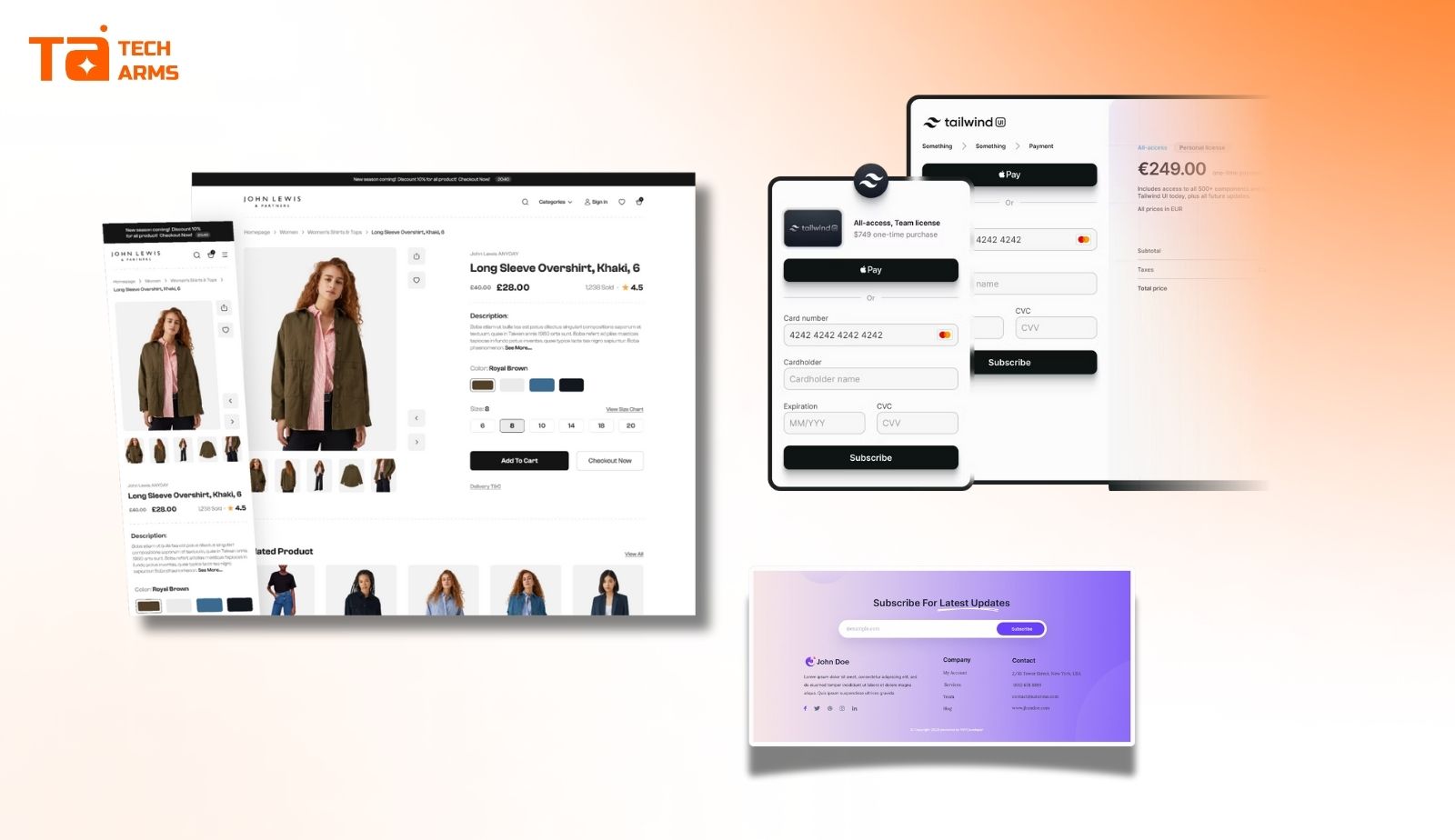
Critical Conversion Locations
The Checkout and Payment Page
This is ground zero for trust concerns. When customers are about to hand over their credit card information, every doubt magnifies. This page absolutely must include:
- SSL and secure checkout badges near payment fields
- Accepted payment method logos
- Money-back guarantee reminders
- Security certification badges
Near Call-to-Action Buttons
Place trusted badges immediately adjacent to “Add to Cart,” “Buy Now,” or “Sign Up” buttons. These micro-moments are when customers make split-second decisions, and visible trust signals can tip the balance toward conversion.
Product Pages
This is where customers evaluate specific items and decide whether to move forward. Effective badge placement here includes:
- Money-back guarantees near pricing
- Free shipping and free returns badges near product descriptions
- Review and rating badges that show product-specific social proof
- Quality certifications or awards relevant to that product category
High-Visibility Brand Credibility Locations
Homepage
Your homepage is often the first impression for new visitors searching for your brand. Use this prime real estate to establish immediate credibility with:
- Customer review badges and ratings
- Awards and recognition
- Well-known customer logos
- Key guarantees (free shipping, money-back guarantee)
Website Footer
The footer appears on every page of your site, making it perfect for trusted badges that reinforce overall brand credibility:
- Industry association badges (Better Business Bureau, industry-specific organizations)
- Compliance badges (GDPR, PCI compliance)
- Verified partner seals
- Security certifications
The key is to make trust badges visible during moments of decision without overwhelming your design. They should feel like natural, helpful information rather than desperate attempts to prove legitimacy.
Real-World Examples: Trust Badges in Action
Seeing how successful ecommerce brands implement trusted badges can inspire your own strategy. Here are three examples of effective trust badge deployment:
Allbirds’ Sustainability and Quality Certifications
Allbirds, the sustainable footwear company, prominently displays certification badges that align perfectly with their brand values and customer concerns. On their product pages, they feature B Corporation certification badges alongside their carbon-neutral shipping badge. These trusted badges aren’t just about security, they address the specific values their eco-conscious customers care about most: environmental responsibility and ethical business practices. By placing these certifications near product descriptions and “Add to Cart” buttons, they reinforce brand credibility at the exact moment customers need reassurance that their purchase aligns with their values.

The lesson: Choose trust badges that align with your brand values and your specific customer base’s priorities, not just generic security seals.
Hyphen Sleep’s Authority by Association
Hyphen Sleep combines product guarantees with media endorsements effectively. They use a small grid to clearly explain their 100-night money-back guarantee, then display logos from well-known magazines and newspapers that have featured their mattresses. This approach transfers the trust customers have in established media publications to the mattress brand itself.
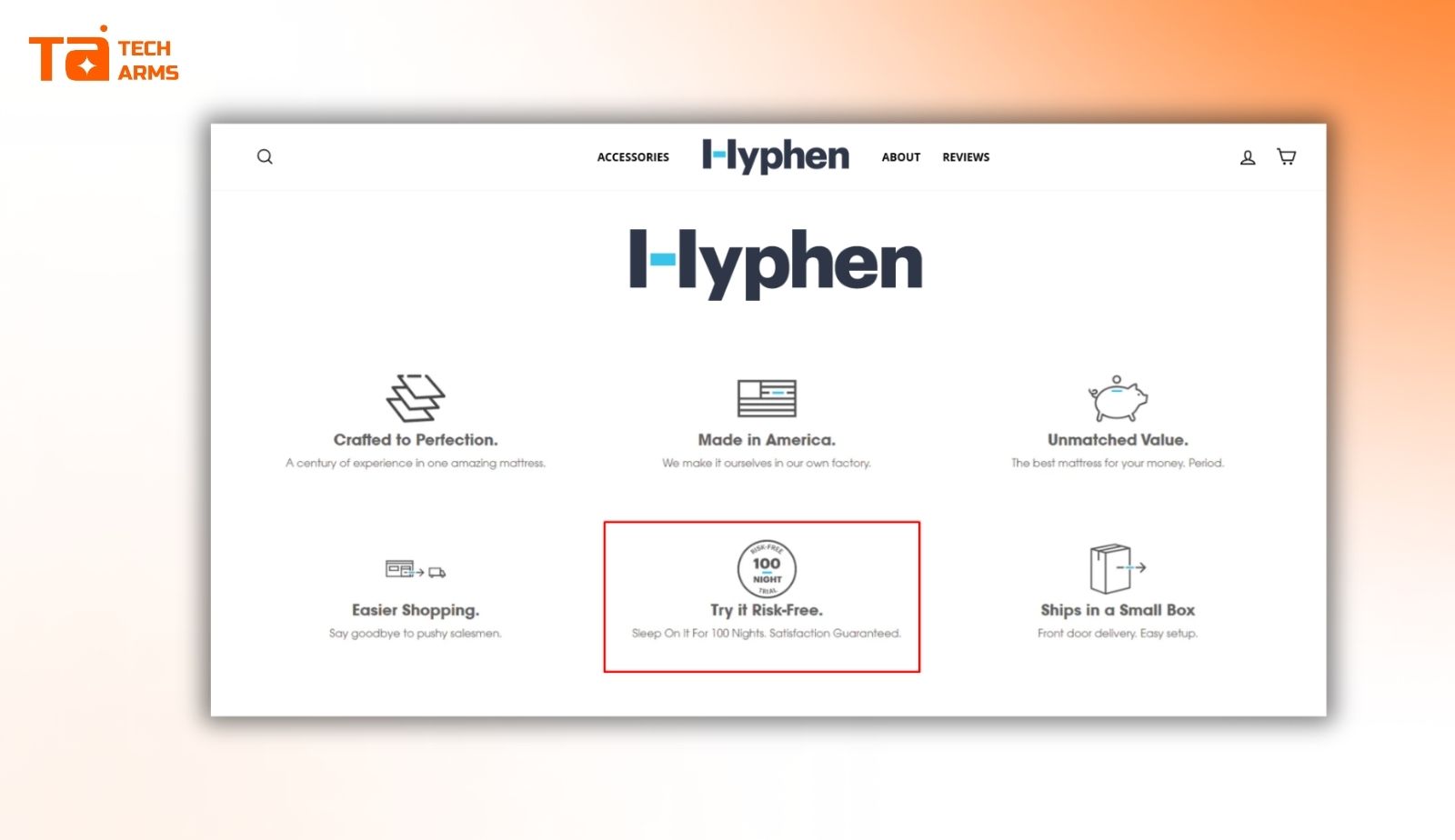
The lesson: Combining different types of trusted badges (guarantees + media recognition) creates multiple trust pathways for different customer psychology types.
Baremetrics’ Strategic Simplicity
Baremetrics, a subscription analytics company, takes a minimalist but powerful approach by placing a small Stripe Verified Partner badge in their website footer. This single, strategically chosen badge leverages the massive trust customers already have in Stripe to validate Baremetrics’ credibility. Because it’s in the footer, anyone scrolling any page sees it.

The lesson: Sometimes less is more – one highly credible badge placed strategically can be more effective than dozens of unknown seals.
How to Choose and Implement the Right Trust Badges for Your Store
Not all trust badges will be relevant or effective for your specific business. Here’s how to select and set up the right trusted badges:
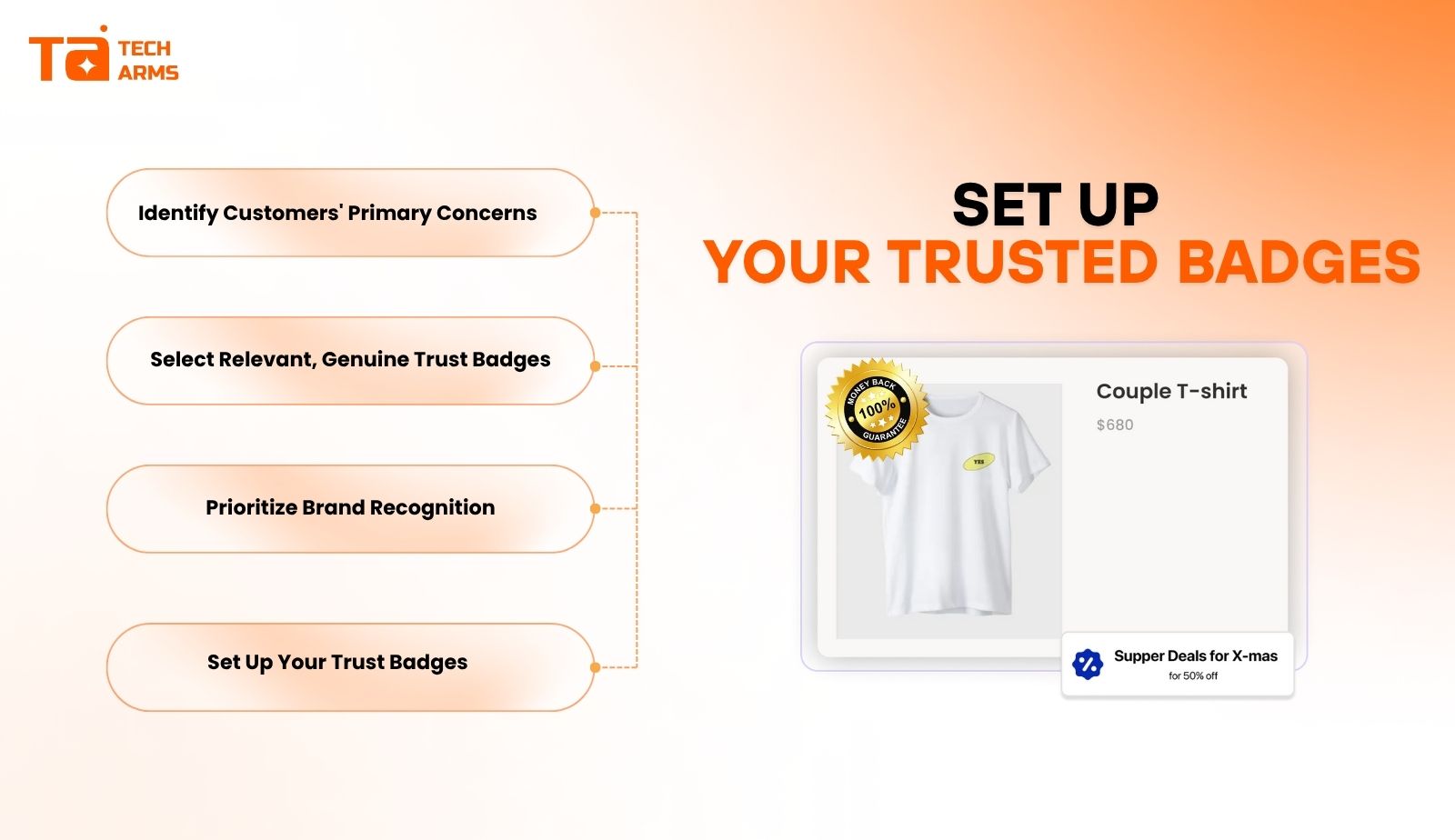
Step 1: Identify Your Customers’ Primary Concerns
Start by understanding what worries your specific audience most:
- Are they concerned about payment security?
- Do they worry about product quality?
- Are shipping costs and return policies deal-breakers?
- Do they need validation that you’re an established, legitimate business?
To do this, you have to survey your customers, analyze cart abandonment data, and review customer service inquiries to identify patterns in customer hesitation.
Step 2: Select Relevant, Genuine Trust Badges
Once you know your customers’ concerns, the next step is to choose trusted badges that directly address them:
- For security concerns: SSL badges, secure checkout badges, security software logos
- For payment worries: Accepted payment method badges, PayPal badges
- For quality doubts: Money-back guarantees, review badges, awards
- For legitimacy questions: Industry association badges, customer logos, media recognition
Critical rule: Only use genuine badges from reputable sources. Never display a fake badge or one you haven’t earned because this will destroy trust if discovered and could have legal implications.
Step 3: Prioritize Brand Recognition
Generally, the more widely recognized a trust badge is, the more effective it will be. A badge from an unknown certification organization might actually create confusion rather than trust. Prioritize badges from:
- Well-known security companies (Norton, McAfee)
- Established payment processors (Visa, Mastercard, PayPal)
- Recognized review platforms (Trustpilot, Google Reviews)
- Famous brands or publications that have endorsed you
Step 4: Set Up Your Trust Badges
For custom badges (guarantees, free shipping):
- Create visually appealing graphics that match your brand design and place them where they’ll be most effective.
For third-party badges (SSL, security):
- Research and choose a reputable provider (Certificate Authority)
- Verify your website through their process
- Add the generated badge code to your site’s HTML
- Ensure badges link to verification pages when clicked
For platform-specific setup:
- Shopify: Use apps like “AVA Trust Badges” or “Ultimate Trust Badges” from the Shopify App Store
- WordPress/WooCommerce: Install plugins specifically designed for trust badge display
- Custom platforms: Work with your developer to add badges in strategic locations
For payment method badges:
- Most payment processors provide free logo assets you can download and display on your site.
FAQs
No, not all trust badges carry the same weight. The effectiveness of a trust badge largely depends on brand recognition and relevance to your audience. Generally, the more widely recognized a trust badge is, the more effective it will be at increasing customer confidence.
Quality matters more than quantity. Displaying too many trust badges can make your site look cluttered and desperate, which can actually harm trust. Instead, focus on 3-7 strategically selected badges that directly address your customers’ primary concerns. On your checkout page, prioritize security and payment badges. On product pages, emphasize guarantees and social proof. The key is to use badges purposefully at decision-making moments rather than overwhelming visitors with dozens of seals across every page.
Yes, when implemented correctly, trust badges can significantly improve conversion rates. They work by reducing the friction and anxiety that prevent customers from completing purchases. However, badges alone won’t fix fundamental issues with your products, pricing, or user experience. They work best as part of a comprehensive strategy to build credibility and provide excellent customer service.
Wrapping up
In the competitive world of ecommerce, trust isn’t just nice to have, it’s the foundation of every successful transaction and become essential conversion tools rather than optional design elements.
The 11 types of trusted badges we’ve explored – from SSL and secure checkout badges to money-back guarantees, review badges, and verified partnerships – each address specific customer concerns at crucial decision points. By strategically implementing the right combination of trust badges in high-impact locations like checkout pages, product pages, and near call-to-action buttons, you create a credibility framework that transforms hesitant browsers into confident buyers.
If you’re unfamiliar with using trusted badges, we recommend our comprehensive TA Product Labels & Badges collection. This set offers hundreds of badges in different aesthetics that will complement your storefront and effectively improve your conversion rate.
Remember these key principles:
- Choose badges that address your specific customers’ primary concerns
- Only display genuine, recognized trusted badges from reputable sources
- Place badges strategically where trust matters most, especially at checkout
- Don’t overwhelm your design – select a focused set of high-impact badges
- Customize badges to match your brand while maintaining their credibility
Trust badges won’t fix fundamental problems with your products, service, or website experience, but when you have a solid foundation, they can dramatically reduce friction in the customer journey and boost conversion rates.

Hi, I’m Vu Cam Chi – a detail-driven digital marketer focused on building practical growth solutions for ecommerce and digital products. I combine data, user behavior, and clear messaging to turn ideas into results. Strategy guides my decisions, and optimization is part of my daily work. I care deeply about creating experiences that make sense for users and actually perform.