Top Shopify Banner Apps that Transform Your Store’s Engagement

If your Shopify store feels static and unengaging, you’re likely leaving money on the table. The harsh reality of ecommerce is that customers often miss your best offers, newest products, and time-sensitive promotions simply because they don’t catch their eye. This is where the best Shopify banner apps become game-changers for your online business. In this article, we will help you cover the best banner apps which can drive more sales.
Why You need Banner Slider Apps Now?
Banner sliders transform static storefronts into dynamic, attention-grabbing experiences that immediately catch your visitor’s attention. They’re not just decorative elements, they’re powerful conversion tools that communicate promotions, announcements, and urgent messages at exactly the right moment in the customer journey.

Think of your homepage as a busy digital marketplace. Without banners, your crucial sales announcements are like whispering in a crowd – easily missed. If designing a banner is a puzzle for you, banner slider apps act like neon signs and digital billboards, ensuring that your most important message rotates prominently for every customer who visits your store.
Why Banner Sliders Drive Real Business Results
Modern ecommerce businesses leverage banner sliders to:
- Capture immediate attention with movement and visual appeal that static content simply can’t match
- Communicate multiple messages without cluttering your homepage design
- Drive targeted action through strategic placement of call-to-action buttons
- Reduce cart abandonment by highlighting free shipping, guarantees, or limited-time offers
- Enhance user experience by making your store feel polished, professional, and up-to-date
The strategic advantage is clear: stores using interactive banner carousels with clear CTAs see higher engagement rates because they guide customers to different pages and products intentionally, rather than hoping visitors stumble upon what you’re promoting.
Top 10 Shopify Banner Apps for Stunning Store Promotions
After analyzing features, pricing, user reviews, and real-world performance, here are the top banner slider apps that deliver results.
1. TA Banner Slider, Sales Pop up
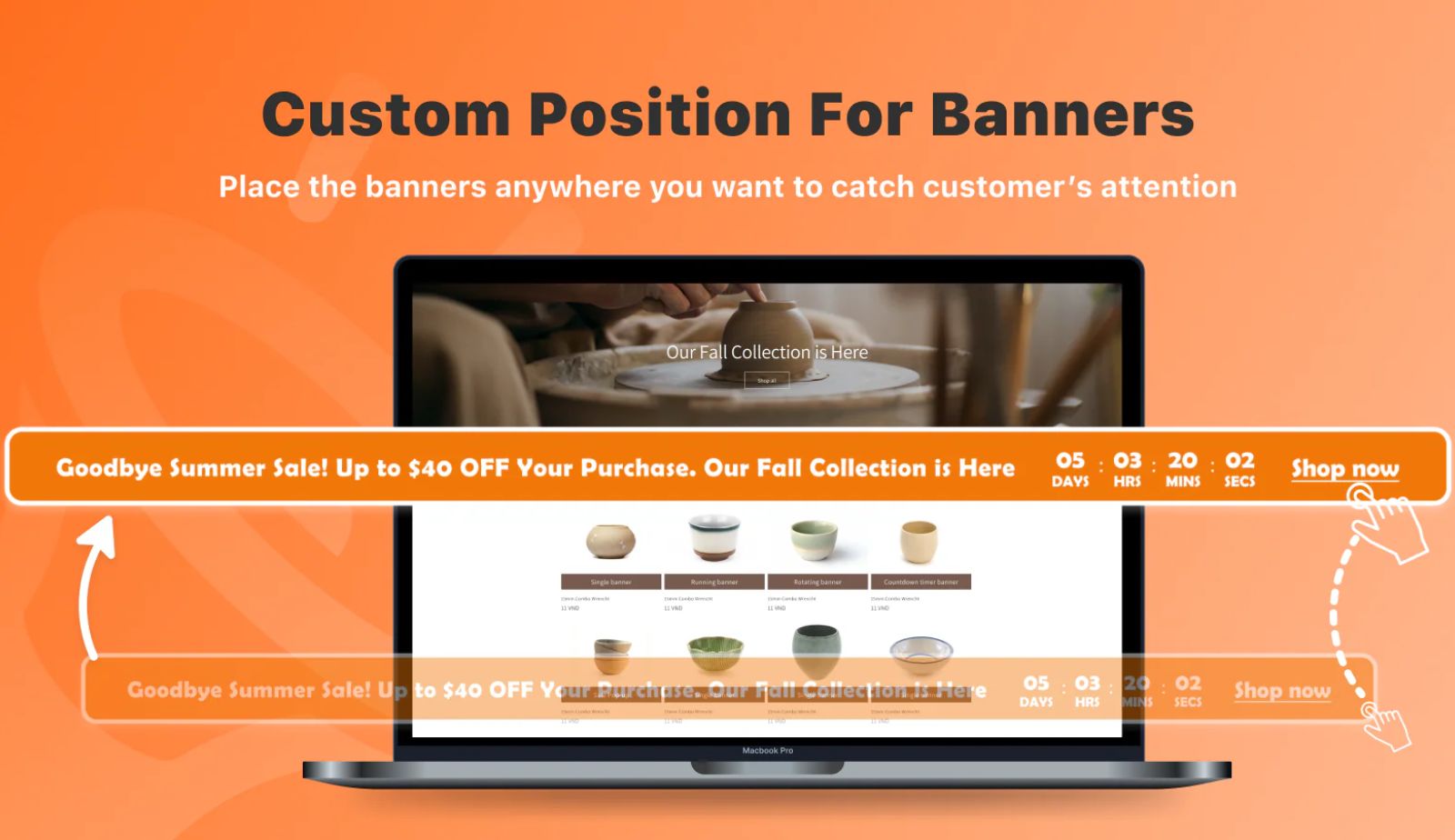
Best for: No-code solution combining banners, pop-ups, and countdown timers
TA Banner Slider is designed specifically for Shopify merchants who want powerful marketing tools without technical complexity.
Key Features:
- Create customizable banners that match your store’s branding
- Build engaging sales pop-ups to capture attention at critical moments
- Add countdown timers to create urgency for limited-time offers
- No-code app builder, perfect for non-technical store owners
- All-in-one solution for multiple customer engagement tactics
Pricing: Starts at $9.99/month
Why it works: The combination of banners, pop-ups, and countdown timers in one app streamlines your marketing toolkit. Instead of juggling multiple apps, you get cohesive messaging across all your promotional elements.
2. Slider Revolution & Sections
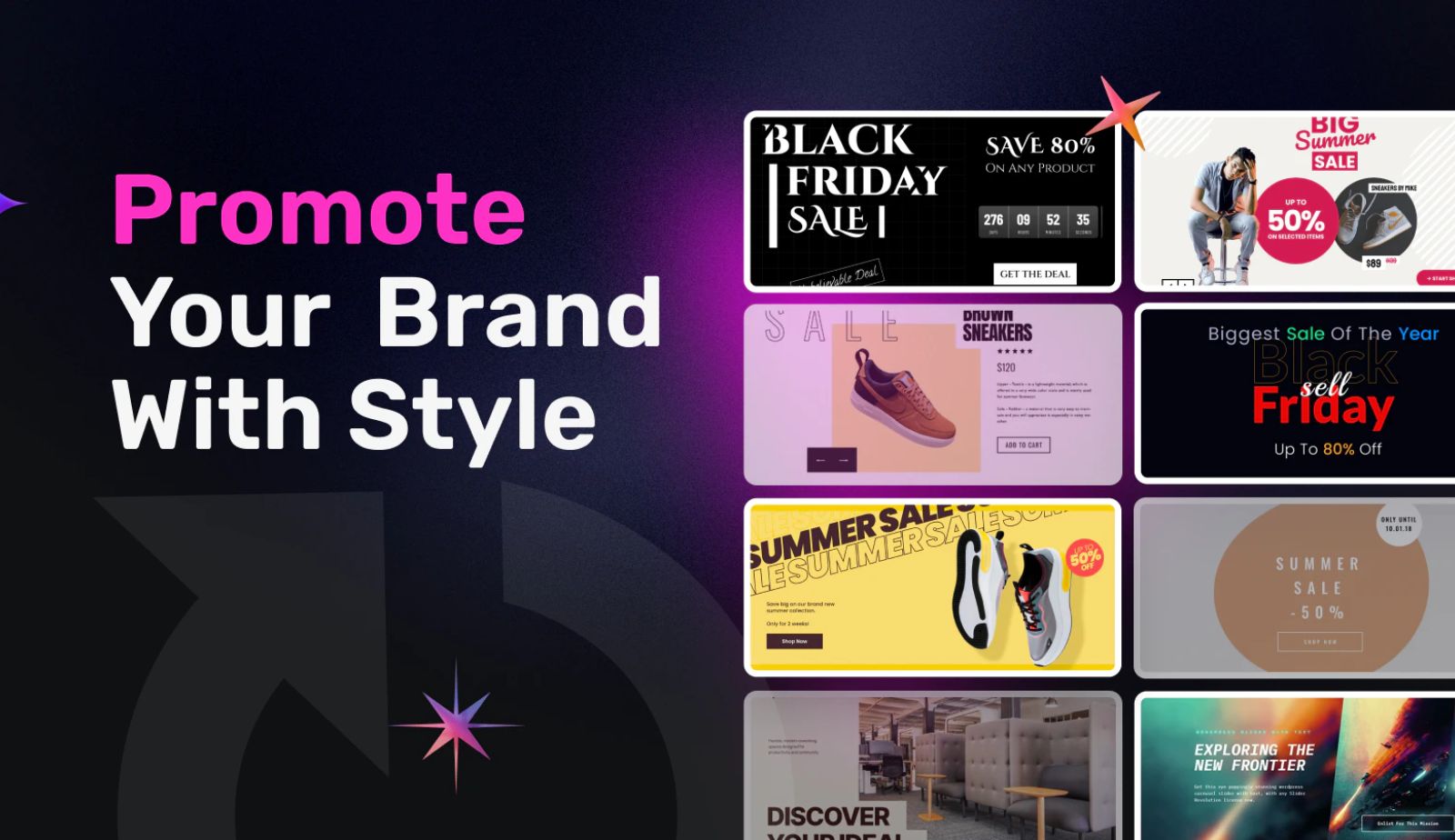
Best for: Stores wanting maximum template variety and social media integration
Slider Revolution dominates the Shopify banner app space with an impressive library of over 300 ready-made slider templates. This app is perfect for merchants who want professional results without starting from scratch.
Key Features:
- 300+ pre-designed slider templates covering virtually every industry and use case
- Direct social media content integration from Facebook, Instagram, YouTube, and Vimeo
- Full compatibility with Shopify 2.0 and popular page builders like Pagefly and Shogun
- Advanced animation options for creating truly eye-catching sliders
- Responsive design that looks perfect on all devices
Pricing: Free plan available; paid plans start at $9.99/month
Why it works: The social media integration feature is particularly valuable for brands building community. You can showcase real customer content from Instagram directly in your homepage slider, creating authentic social proof that drives conversions.
2. SmartBN: Banner Slider

Best for: Stores with large image libraries needing bulk upload and SEO optimization
SmartBN by Secomapp (also known as Smartify Apps) stands out for merchants managing extensive visual content who want SEO benefits from their sliders.
Key Features:
- Support for 40+ slider types including Carousel Slider, Image Gallery, and Banner Rotator
- Time-saving bulk upload feature for managing multiple images at once
- Built-in SEO optimization with Alt tag support and URL link capabilities
- Fully responsive across all device types
- Embedded code option for precise placement control
Pricing: Free plan available; paid plans start at $14.99-$15.99/month
Why it works: The SEO optimization features help your sliders appear in search engines, giving you double value-conversion optimization on your site plus search visibility. The bulk upload feature saves hours for stores frequently updating promotional banners.
3. Elfsight Image Banner Slider
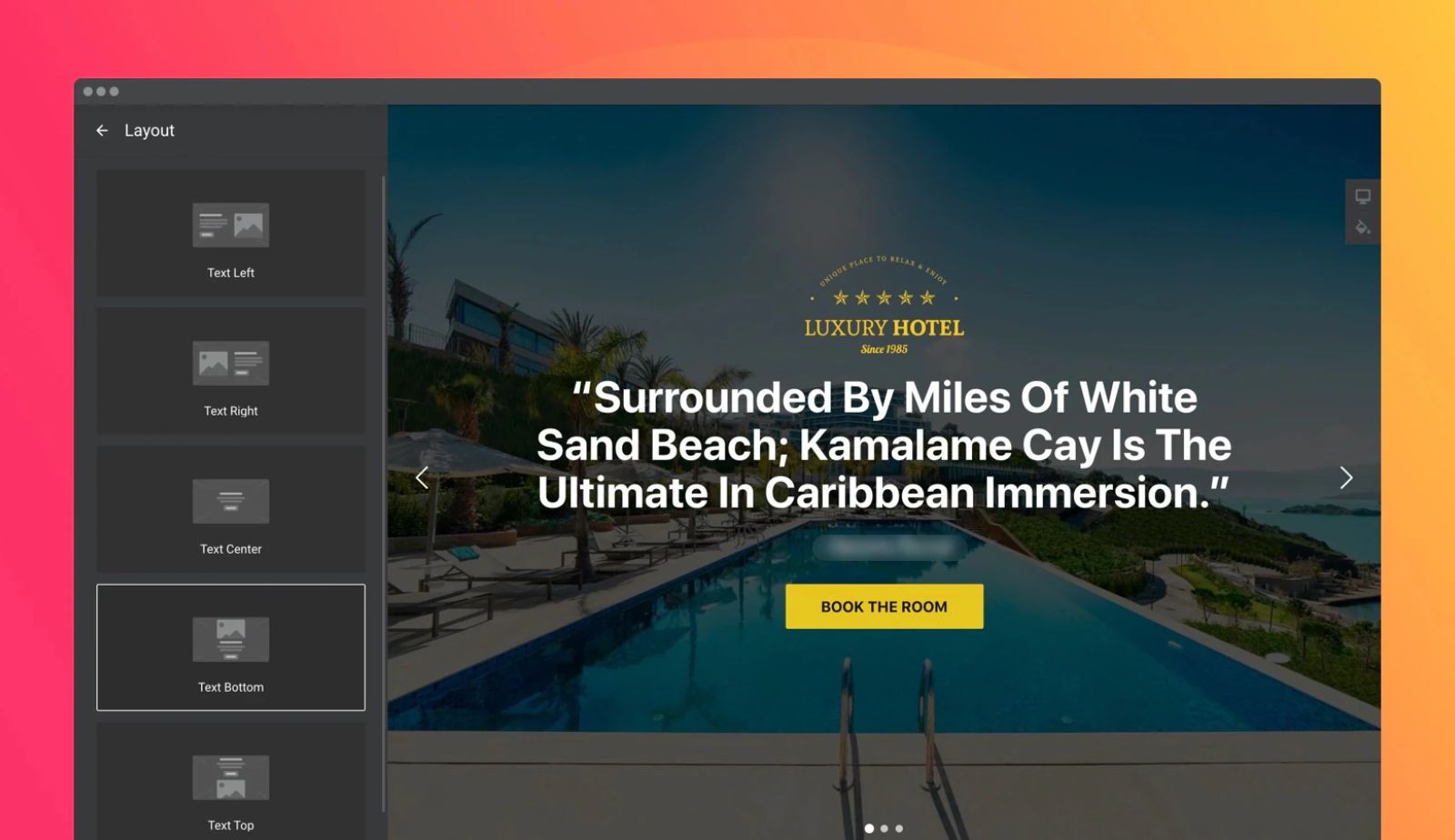
Best for: Creating visually stunning, multimedia promotional experiences
Elfsight specializes in creating highly engaging sliders that combine images, videos, and animations to maximize customer engagement.
Key Features:
- Create multiple promotional banners showcasing offers, discounts, and product launches
- Support for images, videos, and animations in a single slider
- No coding skills required – true drag-and-drop functionality
- Designed specifically to increase store sales through better visual presentation
- Combines main content in one spot for streamlined messaging
Pricing: Starts at $5.99/month
Why it works: Video content in sliders has proven to increase engagement dramatically. Elfsight’s multimedia approach lets you tell richer product stories that static images simply can’t convey.
4. POWR Image Slider
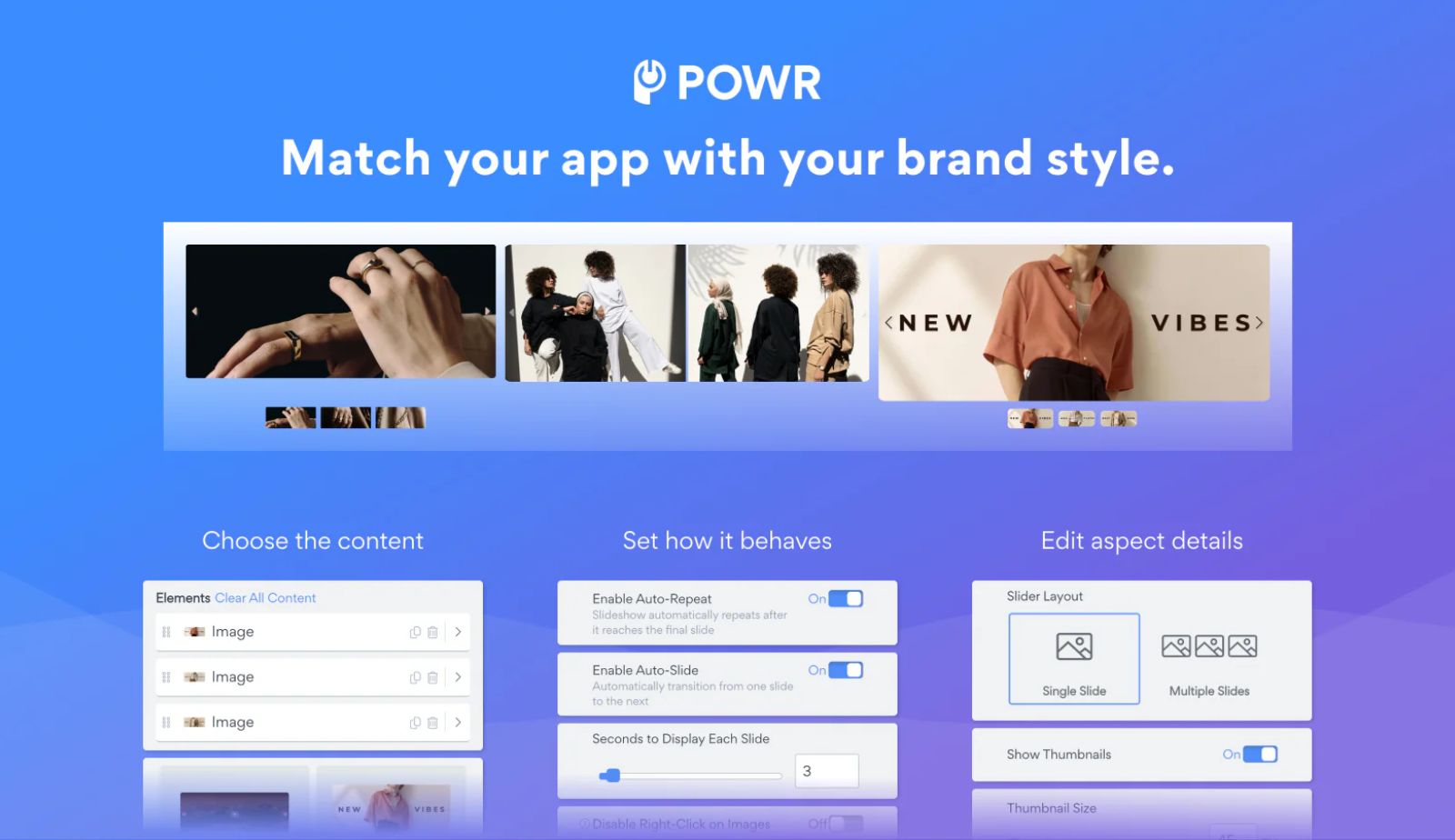
Best for: Building social proof through testimonial showcases
POWR focuses on helping stores leverage customer testimonials and reviews as conversion drivers through beautifully designed slider presentations.
Key Features:
- Design custom sliders highlighting reviews and testimonials in lookbook style
- Multiple easy-to-use templates and layout options
- Multi-language support for international stores
- Customizable to match any brand aesthetic
- Mobile-optimized for perfect display on all screen sizes
Pricing: Free plan available; paid plans range from $4.49/month to $89.99/month
Why it works: Testimonial sliders provide rotating social proof that builds trust with new visitors. Instead of displaying one review, you can showcase five or ten different customer success stories in the same prime real estate.
5. Attrac Announcement Bar Banner
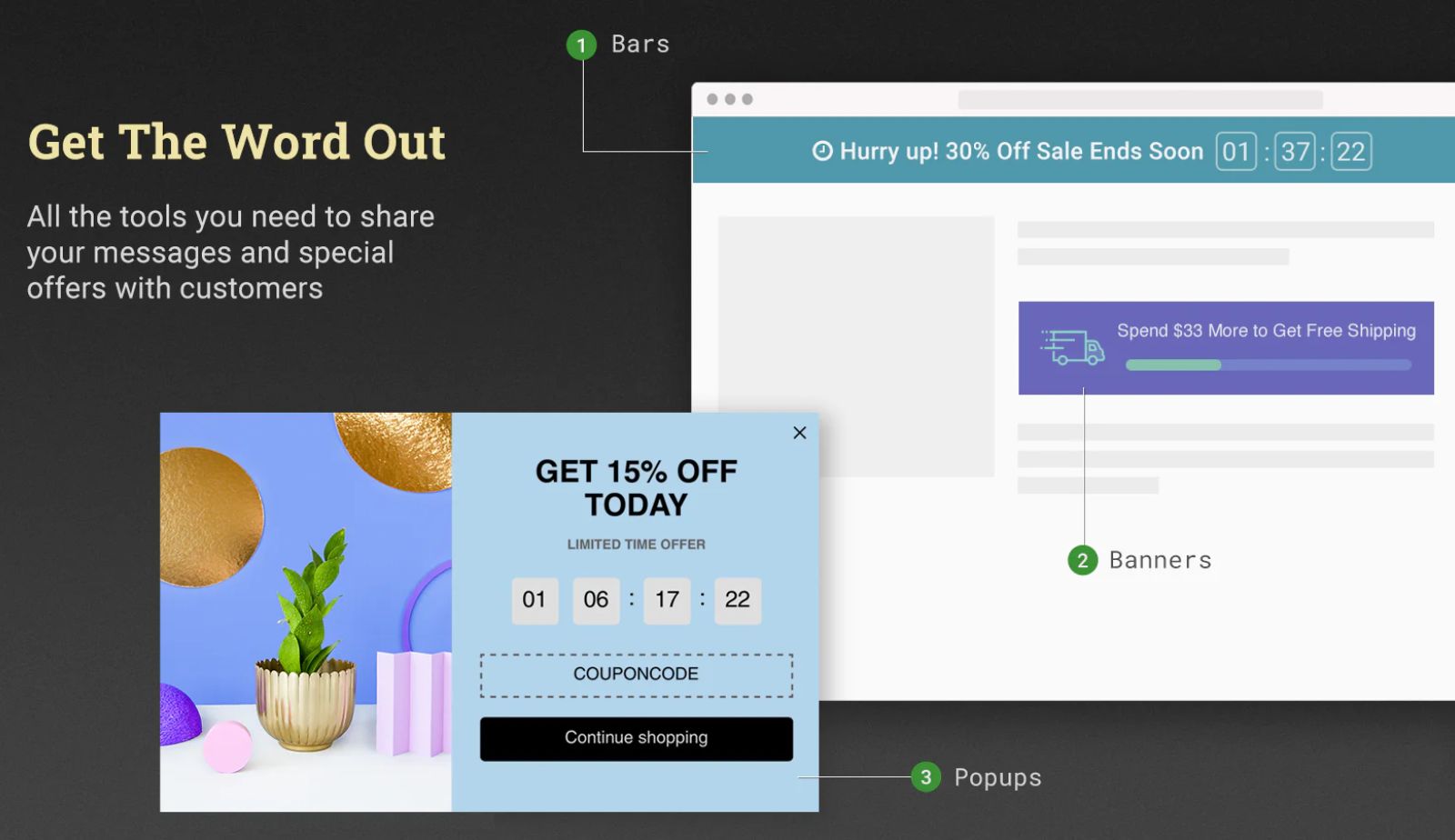
Best for: Targeted marketing campaigns with email capture integration
Attrac provides an all-in-one solution for merchants running sophisticated onsite marketing campaigns with audience targeting.
Key Features:
- Rotating multi-announcements to communicate several messages
- Urgency-building countdown timers for limited-time offers
- Built-in email capture forms for list building
- Seamless integration with Mailchimp, Klaviyo, and other email platforms
- Advanced targeting by device type, page URL, traffic source, and geolocation
Pricing: Free plan available; advanced plans start at $5.99/month
Why it works: The targeting capabilities mean you can show different messages to mobile vs. desktop users, or display location-specific promotions. This personalization dramatically improves conversion rates compared to one-size-fits-all banners.
8. WebRex Announcement Bar
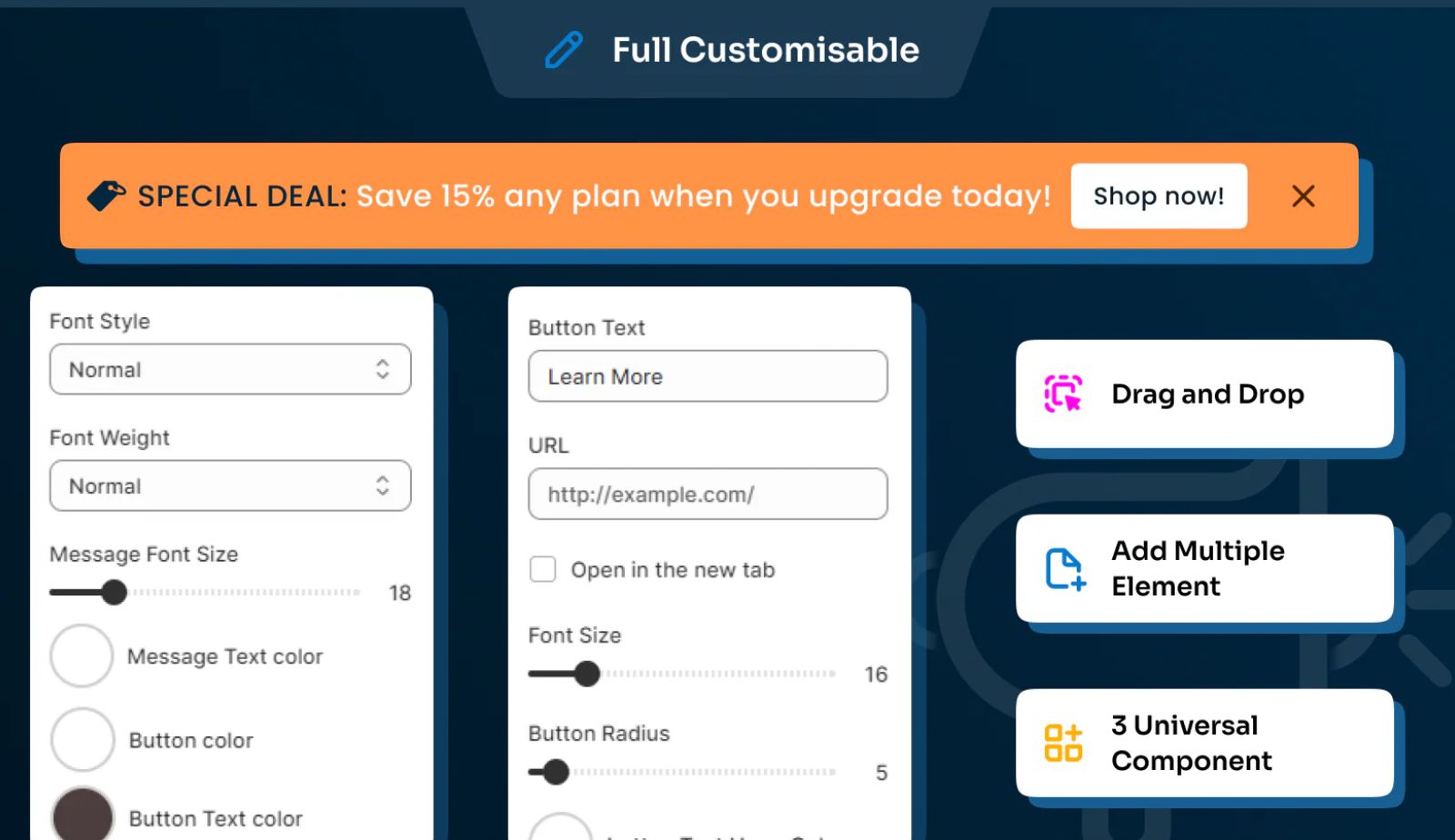
Best for: Animated bars with sophisticated visual effects
WebRex specializes in eye-catching announcement bars with extensive animation options.
Key Features:
- Multiple announcement slider types: countdown timer bar, free shipping bar, promotional coupon bar
- 20+ slide animations and text animations for visual variety
- Targeting by page, device type, and geographic location
- Easy customization to match store branding
- Lightweight code that doesn’t slow page loading
Pricing: Free plan available; Premium plan at $4.99/month
Why it works: The animation variety ensures your announcement bars never feel stale. You can rotate animation styles to maintain customer attention across repeat visits.
9. Pixelpop Popups & Banners
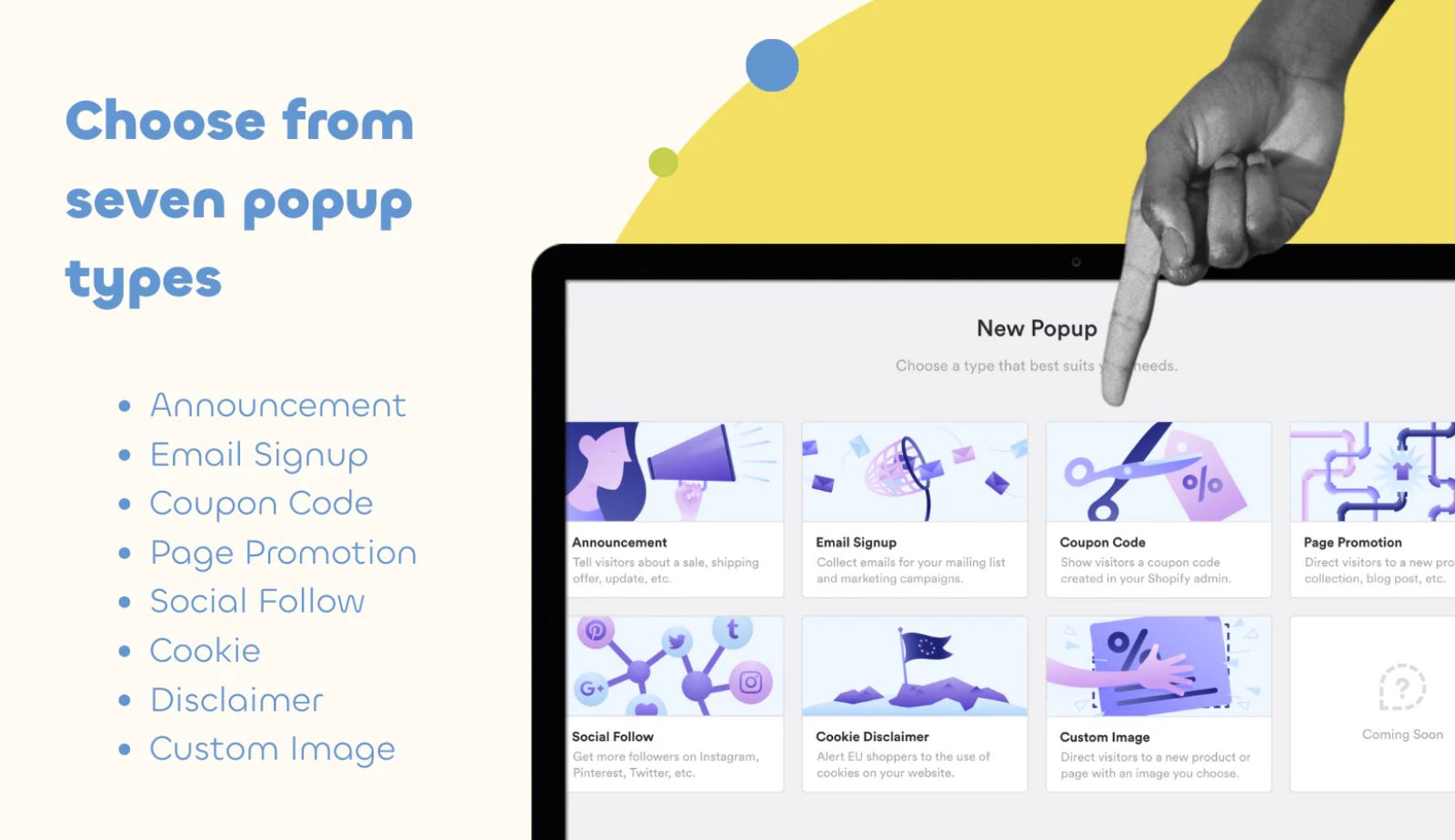
Best for: Data-driven merchants wanting conversion analytics
Pixelpop combines banner functionality with detailed analytics to help you understand what’s working.
Key Features:
- Seven pop-up types: announcements, email signup, coupon codes, and more
- Four display shapes: promo bar, card, modal, full-screen takeover
- Dashboard analytics showing clicks and conversion rates
- A/B testing capabilities for optimization
- Detailed targeting and trigger options
Pricing: Free plan available; advanced plans start at $6/month
Why it works: The analytics dashboard answers the crucial question: “Is this actually working?” You can see exactly which banners drive clicks and conversions, then double down on what performs best.
10. Pop Convert ‑ Pop Ups, Banner
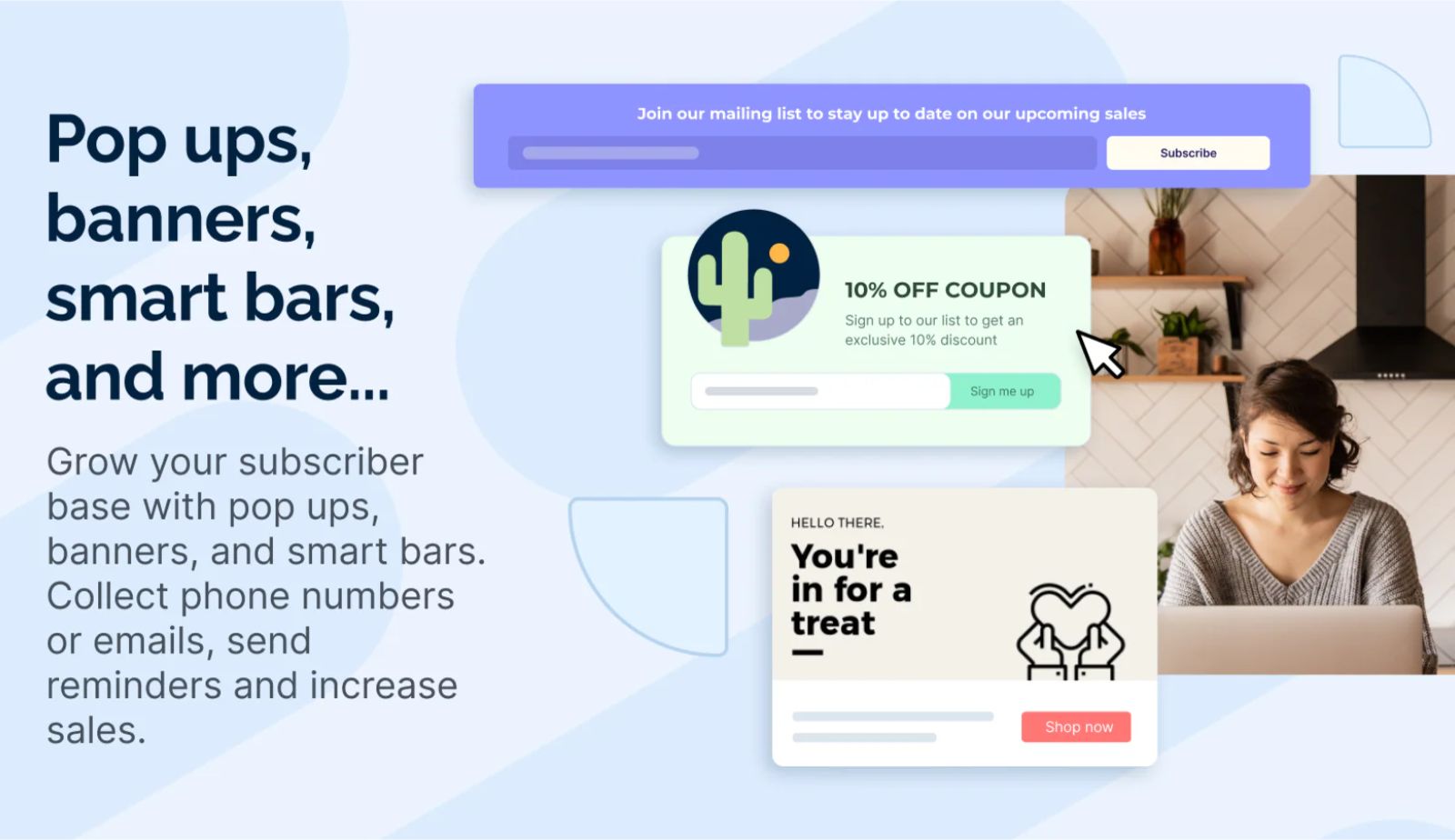
Best for: Comprehensive conversion optimization with pop-ups and banners combined
Pop Convert offers a powerful combination of pop-ups and banner functionality designed specifically to maximize conversions through strategic messaging.
Key Features:
- Multiple pop-up types including exit-intent, timed, and scroll-triggered options
- Customizable banner bars for announcements and promotions
- Advanced visitor targeting based on behavior and demographics
- A/B testing capabilities to optimize performance
- Integration with email marketing platforms for seamless lead capture
- Detailed analytics dashboard tracking impressions, clicks, and conversions
- Mobile-optimized templates for all device types
Pricing: Free plan available; premium plans with advanced features
Why it works: Pop Convert’s exit-intent technology captures abandoning visitors at the critical moment, turning potential lost sales into conversions. The behavioral targeting ensures you show the right message to the right visitor based on their actions, dramatically improving relevance and conversion rates. The combination of banners and pop-ups in one platform gives you multiple touchpoints to engage customers throughout their shopping journey.
Actionable Insights: Tips for Maximizing Banner Conversions
Installing a banner app is just the first step. Here’s how to use these tools strategically to drive maximum ROI.
1. Prioritize Mobile Responsiveness
Over 70% of Shopify traffic comes from mobile devices. Ensure your chosen app displays beautifully on smartphone, not just desktops. Test your banners on actual phones before going live. All the top apps should provide seamless experiences across desktop, mobile, and tablet devices.
2. Leverage Advanced Targeting
Generic messages to all visitors underperform dramatically compared to targeted messaging. Use the targeting features available in apps like Attrac and WebRex to:
- Show free shipping banners only to first-time visitors
- Display product launch announcements only on relevant collection pages
- Target geographic-specific promotions to customers in different regions
- Show mobile-exclusive deals only to smartphone users
Personalized messaging through targeted announcement bars can increase conversion rates by 20% or more compared to generic banners.
3. Utilize Urgency Tools Strategically
Countdown timers work but only when used authentically. Implement timers for:
- Genuine limited-time sales and flash promotions
- Product launches with specific start times
- Holiday sales with clear end dates
- Inventory-limited offers
Never use fake urgency (“Only 2 left!” when you have hundreds). Customers spot dishonesty quickly, and it destroys trust.
4. Apply SEO Best Practices
If your banner app supports it (like SmartBN), always add:
- Descriptive Alt tags to all slider images for search engine visibility
- Relevant URL links that improve site structure
- Keyword-rich descriptions where appropriate
These SEO features help your promotional content appear in search engine results, providing value beyond on-site conversion.
5. Streamline Setup With No-Code Tools
Look for apps with drag-and-drop interfaces that require zero coding knowledge. This allows you to:
- Create professional sliders in minutes, not hours
- Test different messages quickly
- Make updates without developer assistance
- Respond rapidly to market opportunities
Apps like TA Banner Slider, Elfsight, and Slider Revolution excel in user-friendliness, making them perfect for solo entrepreneurs and small teams.
FAQs about Shopify Banner Apps
Banner slider apps help you communicate urgent messages, promotions, and announcements that lead to increased engagement and conversions. They ensure important information isn’t missed by customers browsing your store. The dynamic, eye-catching nature of sliders naturally draws attention to your most strategic messaging at the exact right moment in the customer journey.
Most highly-rated banner apps are designed specifically for non-technical users and offer drag-and-drop functionality. You don’t need coding skills or design experience to create professional-looking sliders. Many apps provide pre-made templates that you can customize in minutes, making them accessible even for complete beginners.
Yes, extensive customization is a key feature of all top banner apps. You can modify text, colors, fonts, slide effects, transition types, button styles, and CTA elements to perfectly match your brand identity and store theme. Advanced apps even let you customize different versions for mobile vs. desktop display.
Less is often more with banner sliders. Displaying 3-5 key messages in rotation typically works best. Too many slides can overwhelm visitors or make any single message less memorable. Focus on your highest-priority promotions, and rotate banners based on seasonal campaigns rather than trying to communicate everything at once.
Ready to Transform Your Store’s Conversion Rate?
TA Banner Slider, Sales Pop Up makes it easy to create stunning, engaging banners and powerful sales pop-ups without writing a single line of code. This no-code app builder for Shopify stores lets you launch customized banners, pop-ups, and countdown timers quickly to inform and engage your customers effectively.
Stop letting valuable promotions go unnoticed. Start converting more shoppers with strategic, attention-grabbing banners that guide customers toward your best offers and products.
Install TA Banner Slider today and watch your engagement metrics climb.
Conclusion and Next Steps
Choosing the best Shopify banner slider app depends entirely on your specific needs, budget, and technical comfort level. Whether you need simple free announcement bars or sophisticated targeted campaigns with multimedia content, the app ecosystem offers solutions for every store.
If you’re seeking a comprehensive solution that combines promotional banners with sales pop-ups and countdown timers – all without requiring any coding knowledge, TA Banner Slider, Sales Pop up delivers an integrated approach that simplifies your marketing toolkit while maximizing customer engagement.
The best banner strategy isn’t about installing the most expensive app or using every feature available. It’s about communicating the right message to the right customer at the right time. Start with one clear promotion, test your banner’s performance, then iterate based on real conversion data.

Hi, I’m Vu Cam Chi – a detail-driven digital marketer focused on building practical growth solutions for ecommerce and digital products. I combine data, user behavior, and clear messaging to turn ideas into results. Strategy guides my decisions, and optimization is part of my daily work. I care deeply about creating experiences that make sense for users and actually perform.