
About the store
Chicago Steak Company sells steaks online and ships them across the US. Its cattle are raised in the Midwest, and the steaks are hand-cut, aged for 4 to 6 weeks, flash-frozen and shipped on dry ice.
The range covers Chicago Premium Angus, USDA Prime in wet-aged and dry-aged versions, and American and Australian Wagyu. The store also sells seafood, pork, sides and gift assortments.
The company traces its heritage to the Chicago Union Stock Yards of 1865 and has sold online since 2008. Its online catalogue lists 217 products.
The challenge
Online steak shoppers compare cuts on photos that look alike. Two filet mignons of the same size can differ in grade, aging method and origin. Often the price is the only obvious difference on the card.
Those differences carry the price gap: dry-aged versus wet-aged, or American versus Australian Wagyu, changes taste and cost. Yet the grade usually sits in the product title or description.
A shopper scanning a collection page needs to see the grade before opening each product.
Use case 01: Grade stickers on the collection grid
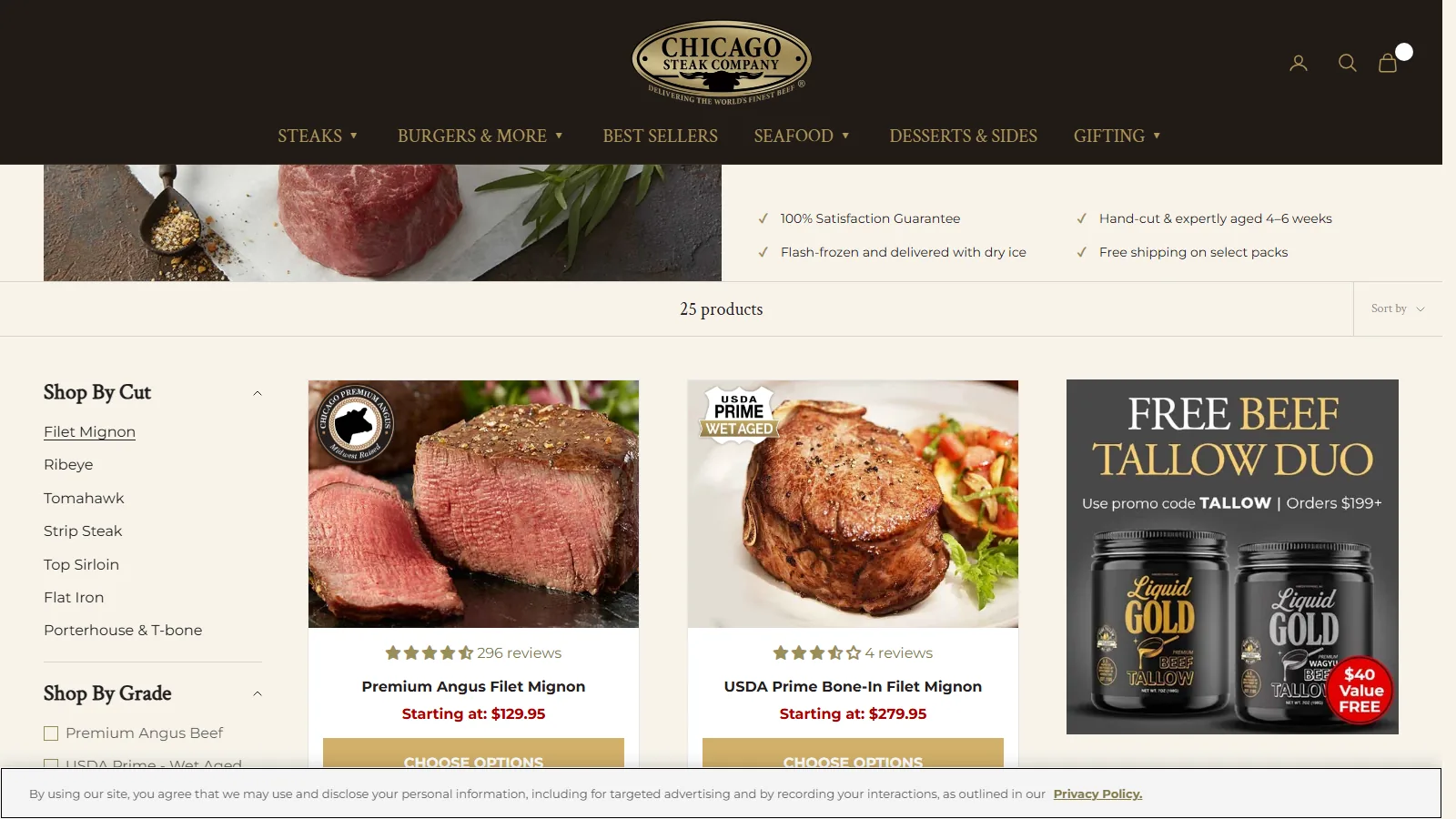
On the filet mignon collection, 11 of 13 product cards carry a sticker in the corner of the photo. The stickers name five grades:
- Chicago Premium Angus, with “Midwest Raised”
- USDA Prime Wet-Aged
- USDA Prime Dry-Aged
- American Wagyu
- Australian Wagyu
Each grade has its own shape and colour, from round Angus and Dry-Aged seals to a Wet-Aged shield and Wagyu cartouches. A shopper can find every Wagyu cut on a page by its sticker without opening a product.
Across the store, 89 of 217 products carry a grade sticker. The ribeye and prime rib collection shows four grades on one page.
Use case 02: The same grade follows the shopper to the product page
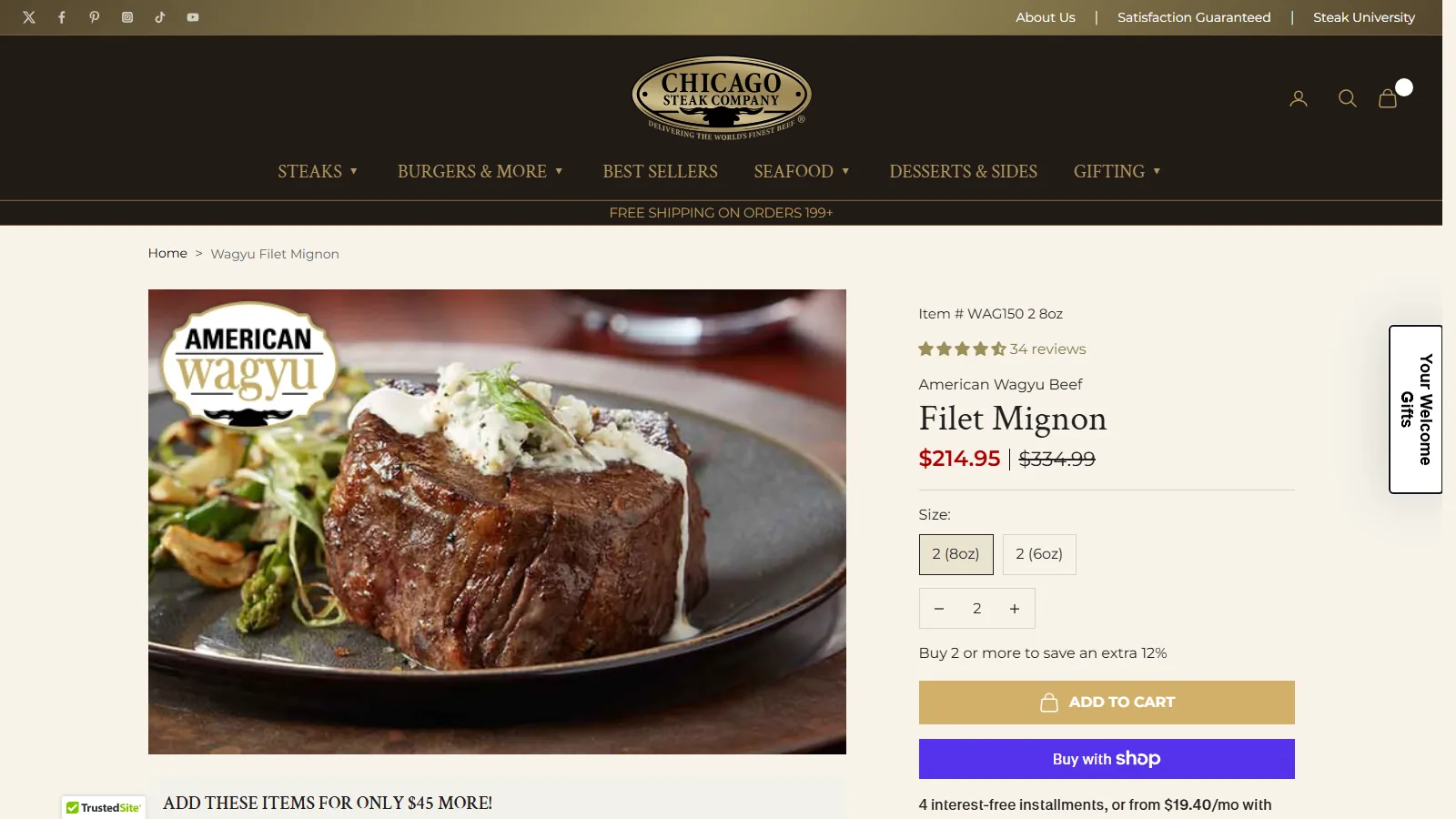
When a shopper opens a product, the same sticker sits on the main image. On the Wagyu filet mignon page, the American Wagyu sticker covers about a third of the image width.
Repeating the artwork connects the grid and the product page. The store’s own Shop by Grade page uses the same sticker designs, so the grades look the same everywhere on the site.
This uses Image Labels in TA AI Product Labels & Badges with the store’s own artwork. Each grade is a label assigned to its products and shown on collection pages, product pages, the homepage and search results.
What merchants say
The app is very easy to set up and even easier to maintain.
Try it on your store
The setup for labels that show product attributes is in Highlight the product details that make people buy. For quality signals that help first-time buyers, see Earn first-time buyers' trust when they don't know your brand.
TA AI Product Labels & Badges is available on the Shopify App Store.
Observed on the live storefront on October 13, 2026. Store settings may have changed since. Product counts come from the public pages and the label settings published with them. Chicago Steak Company did not supply data for this case study.